ÇÖZÜM BULAMADINIZ MI?
TEKNİK BİR SORUN YAŞIYORSANIZ UZMAN EKİBİMİZE ANINDA ULAŞABİLİRSİNİZ.
Creating Category Depth
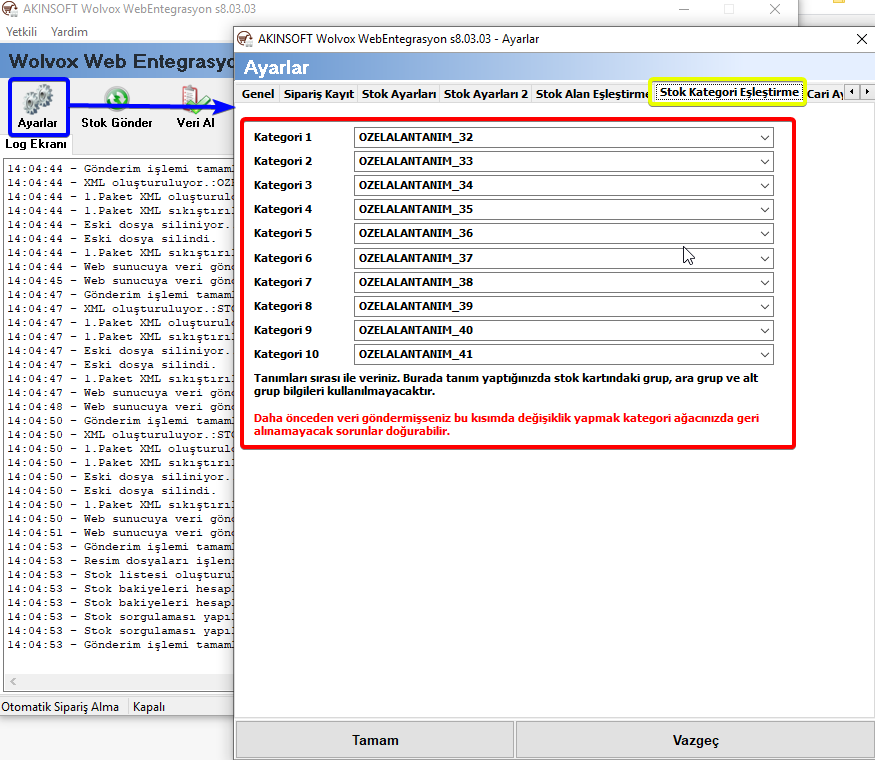
The categories of the products sent from Wolvox ERP are retrieved from Group, Mid Group and Subgroup on the stock cards. If you like to have your categorization in more than 3 levels, you can use ”Stock Category Match” option in Wolvox Web Integration settings. You can create categories by using the available fields on the stock card or creating custom field definition.
* If you use stock category match, it will not create Group, Mid Group and Sub Group as on the stock card.
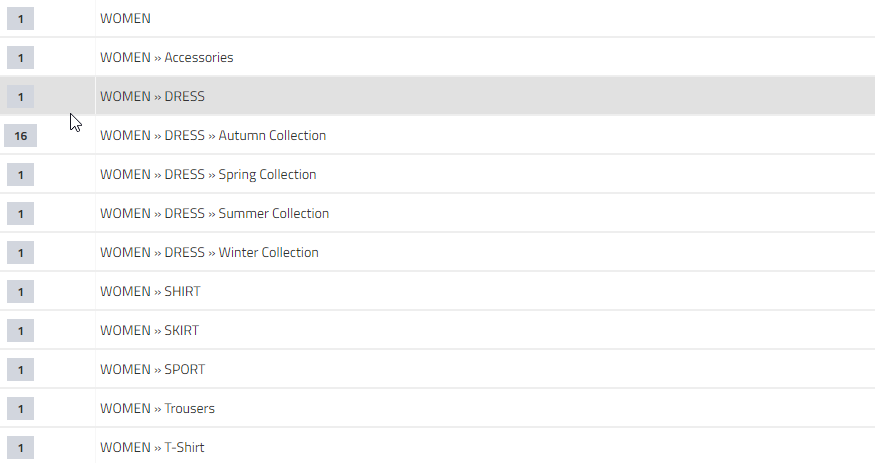
E.g. 10 levels of category depth
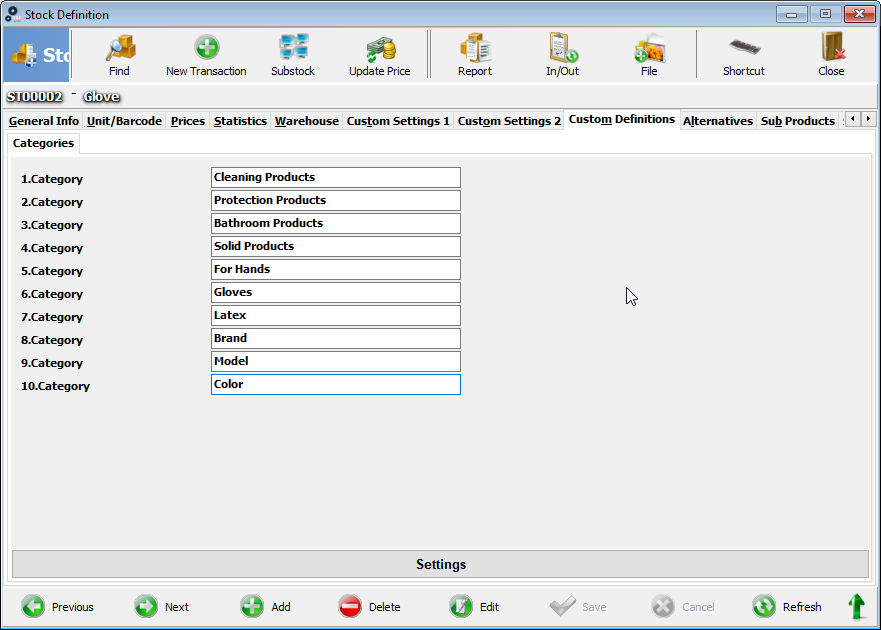
Creating category by adding custom field definition to the stock card.
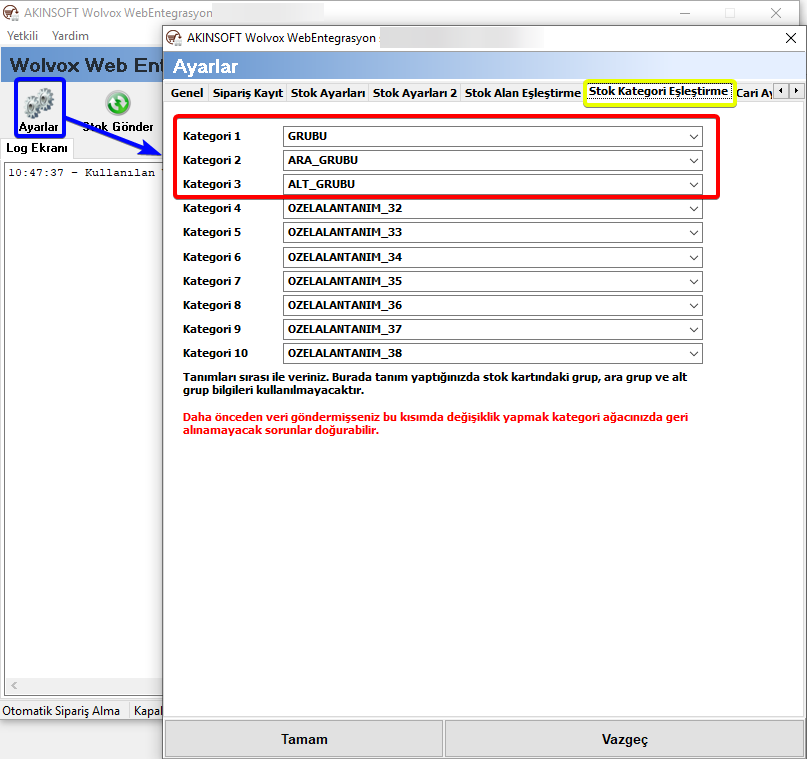
If you already created categories as group, mid group and sub group, or you will use these fields to add category depth, you must enter group, mid_group and sub_group values to the first 3 categories.
BAŞKA BİR SORUNUZ MU VAR?
TEKNİK DESTEK EKİBİMİZE 7/24 ULAŞABİLİR VE TÜM SORULARINIZI İLETEBİLİRSİNİZ.
GÜVENLİK DOĞRULAMASI
Lütfen işlemi onaylayın