ÇÖZÜM BULAMADINIZ MI?
TEKNİK BİR SORUN YAŞIYORSANIZ UZMAN EKİBİMİZE ANINDA ULAŞABİLİRSİNİZ.
Detailed End of Day Report
Firstly, click on Admin – Custom Definitions – Custom Settings.
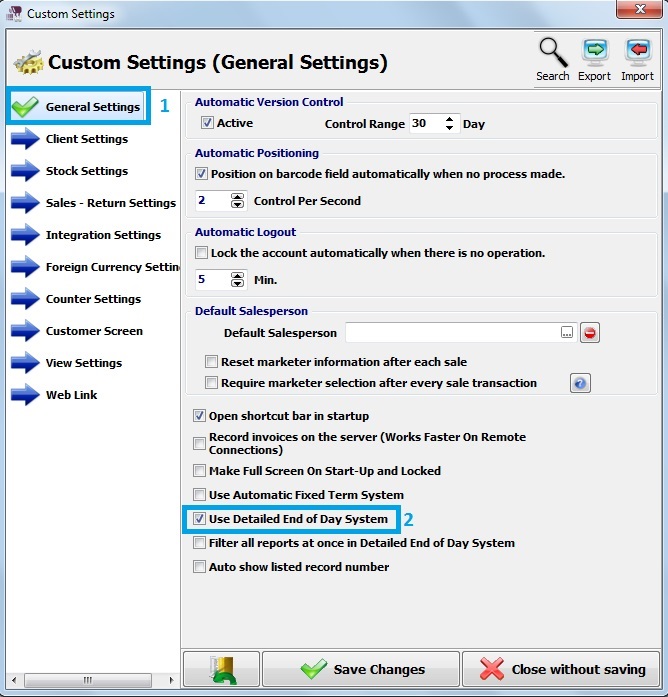
Secondly, in general settings , there is Use Deatiled End of Day Report. Select and save it.
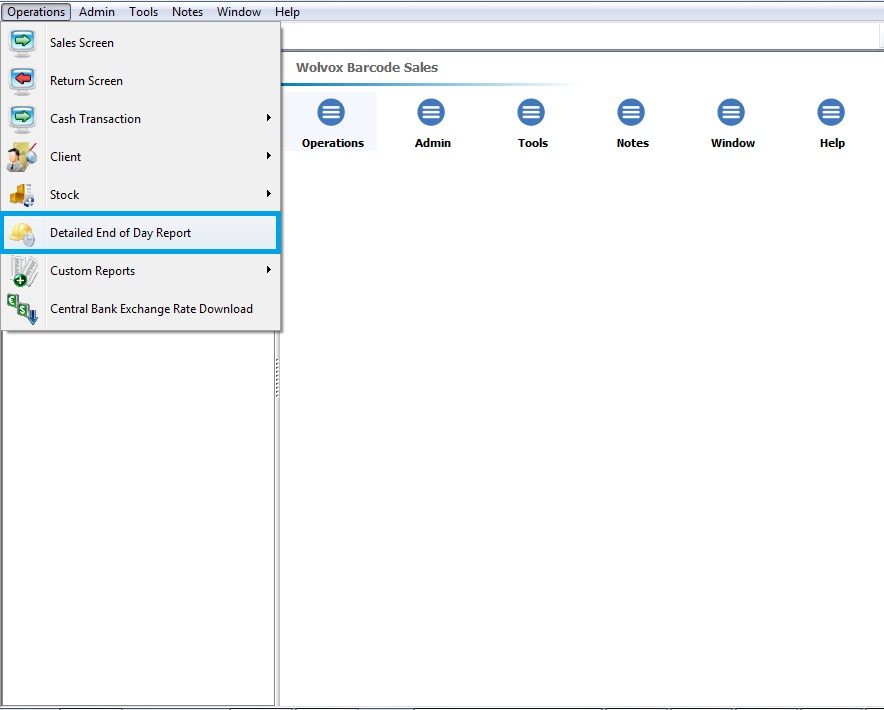
In the Wolvox Barcode Sales program, click on operations and Detailed End of Day Report.
Program shows you End of Day Report.
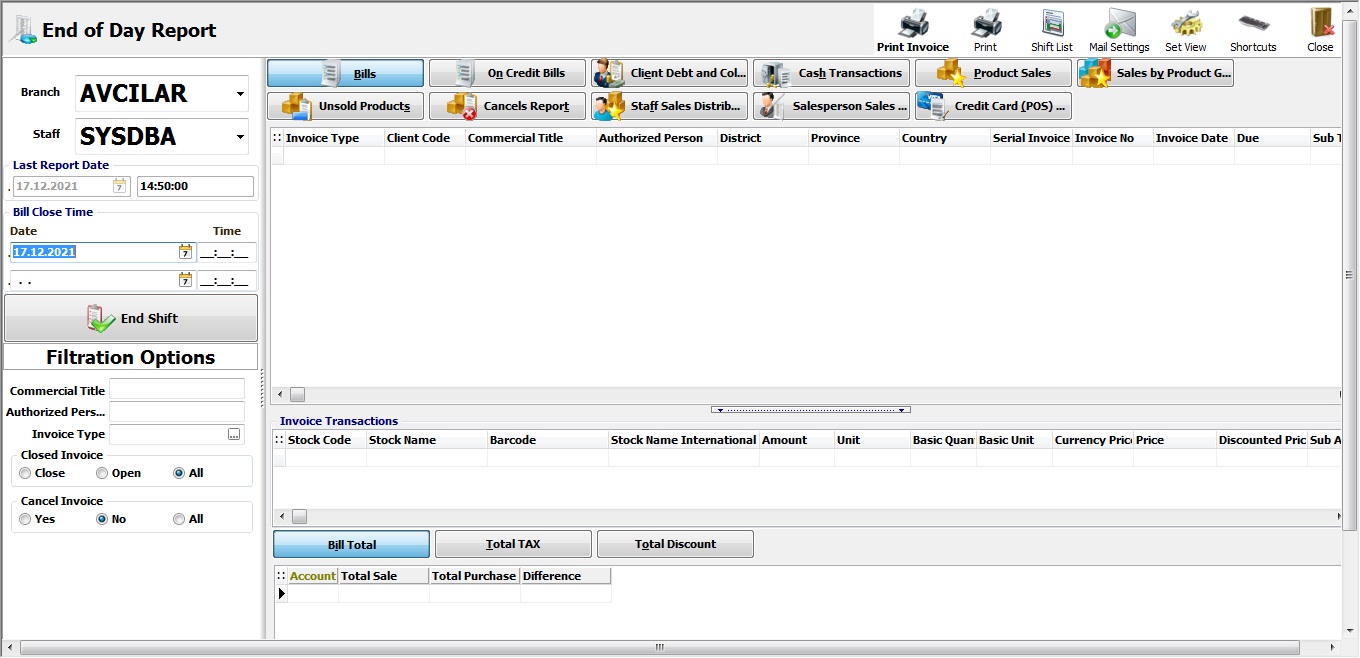
Here you can see all transactions about whatever you and users have done.
There are details about bills, on credit bills, cash transaction etc.
You click one of them and then filter it, transactions will be displayed.
BAŞKA BİR SORUNUZ MU VAR?
TEKNİK DESTEK EKİBİMİZE 7/24 ULAŞABİLİR VE TÜM SORULARINIZI İLETEBİLİRSİNİZ.
GÜVENLİK DOĞRULAMASI
Lütfen işlemi onaylayın