ÇÖZÜM BULAMADINIZ MI?
TEKNİK BİR SORUN YAŞIYORSANIZ UZMAN EKİBİMİZE ANINDA ULAŞABİLİRSİNİZ.
Displaying Payments on Receipt Printout
-
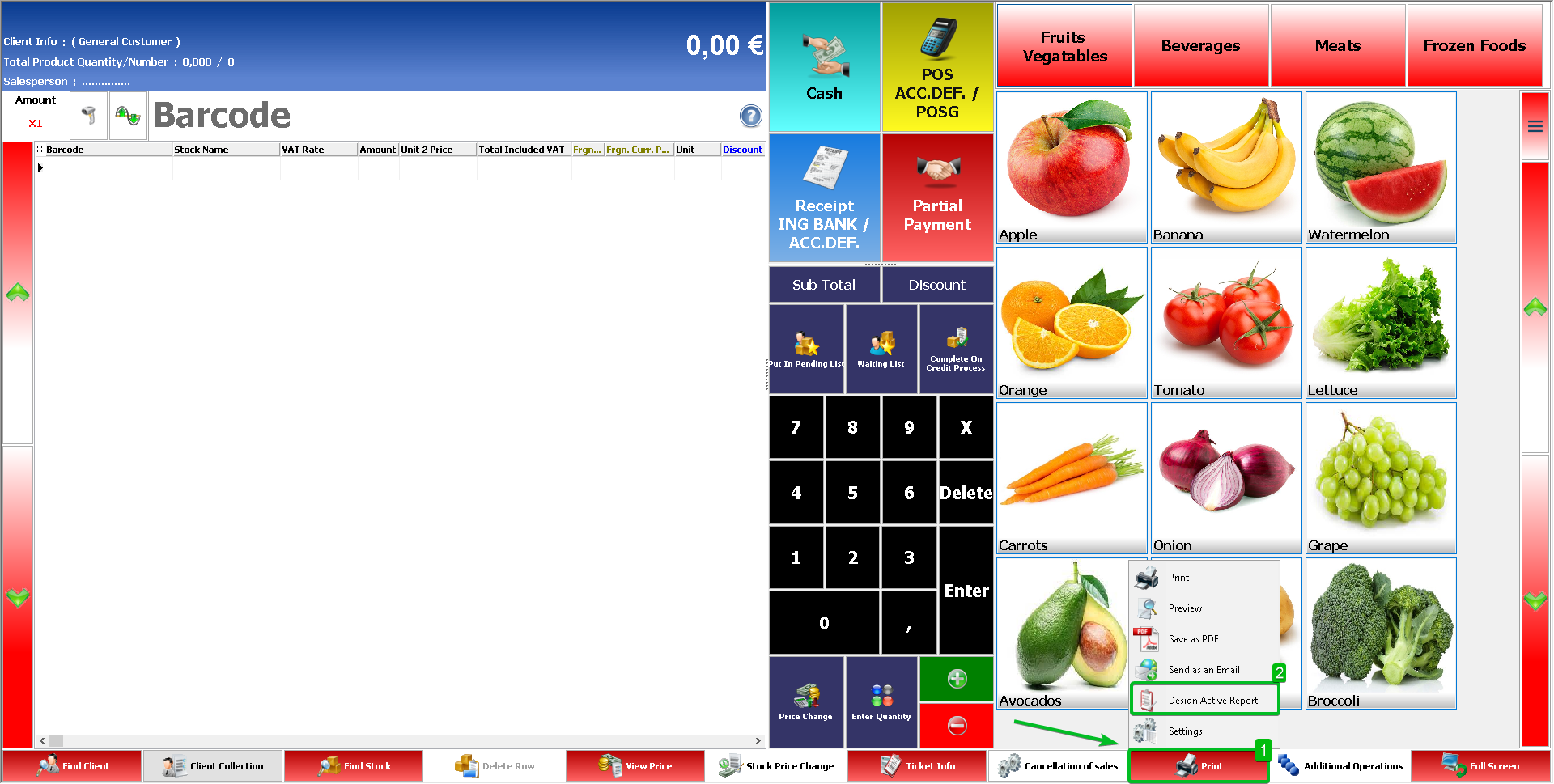
By clicking on the print button on the sales screen, we click on the ‘Design Active Report’ option from the window that opens.
-
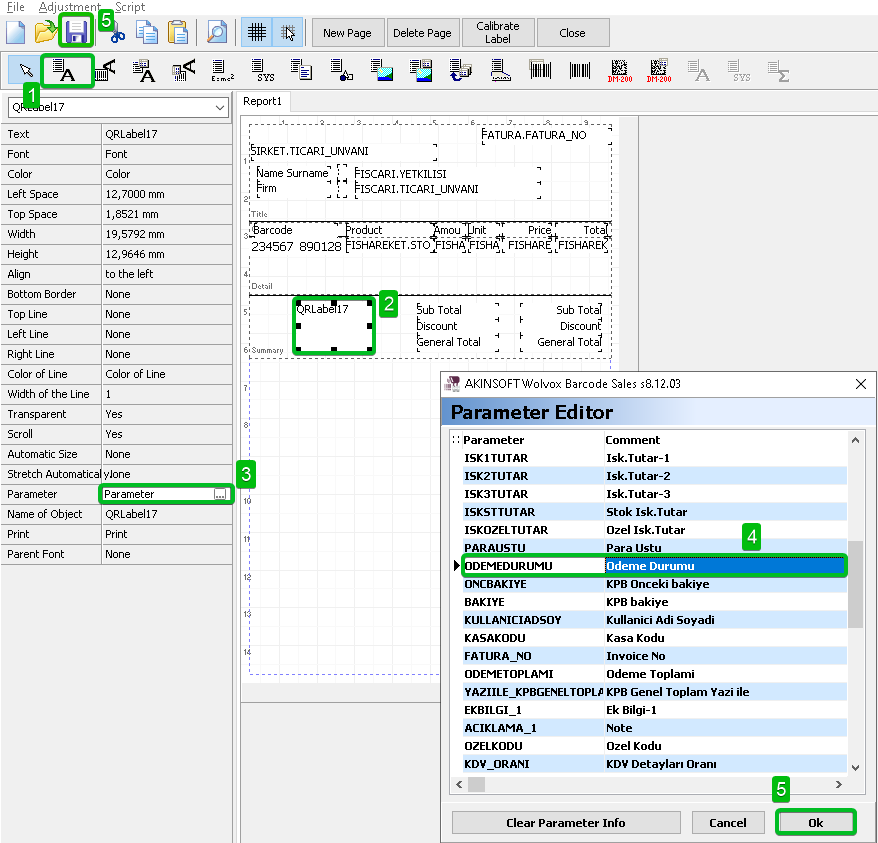
And select add text field from the field addition options in the upper left part of the report design screen. We click where we want the relevant field to be displayed, then from the options opened on the left for the relevant field, click on the parameter field, select the ‘Payment Status’ parameter and save the report.
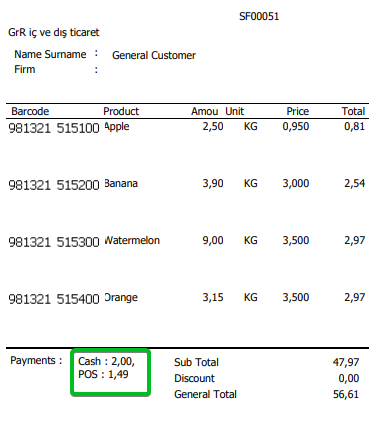
When we get a preview, you will be able to see the payments received for the relevant sale.
BAŞKA BİR SORUNUZ MU VAR?
TEKNİK DESTEK EKİBİMİZE 7/24 ULAŞABİLİR VE TÜM SORULARINIZI İLETEBİLİRSİNİZ.
GÜVENLİK DOĞRULAMASI
Lütfen işlemi onaylayın