ÇÖZÜM BULAMADINIZ MI?
TEKNİK BİR SORUN YAŞIYORSANIZ UZMAN EKİBİMİZE ANINDA ULAŞABİLİRSİNİZ.
How can I restore the accidentally deleted invoice in Akınsoft Wolvox program?
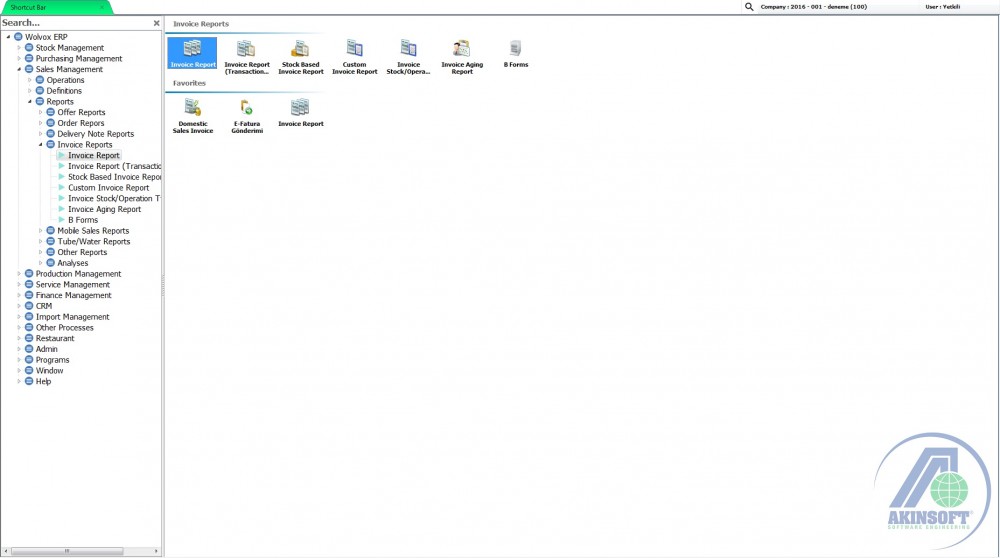
Open the Invoice Report from Reports menu.
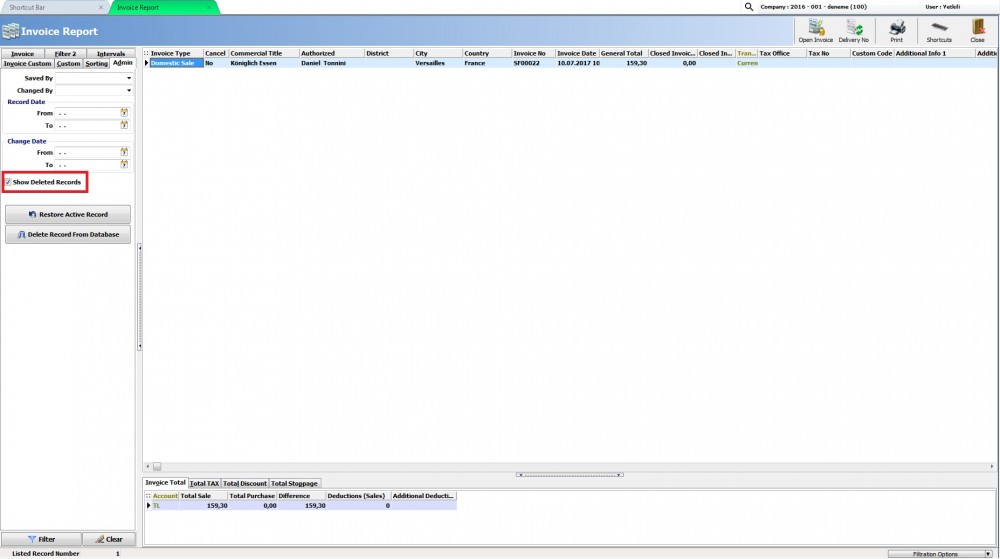
From filtering options click Admin section and select “Show Deleted Records”. After that when you filter you can see the deleted invoices. Select the deleted Invoice and press the Restore Active Record button. After this operation invoice will be restored.
BAŞKA BİR SORUNUZ MU VAR?
TEKNİK DESTEK EKİBİMİZE 7/24 ULAŞABİLİR VE TÜM SORULARINIZI İLETEBİLİRSİNİZ.
GÜVENLİK DOĞRULAMASI
Lütfen işlemi onaylayın