ÇÖZÜM BULAMADINIZ MI?
TEKNİK BİR SORUN YAŞIYORSANIZ UZMAN EKİBİMİZE ANINDA ULAŞABİLİRSİNİZ.
How do I handle my company expenses in WOLVOX?
You can enter your company expenses (telephone, electricity, water, fee, meals, etc.) in several different ways;
-Your company expenses can be recorded from Cash=> Cash Movement Entry menu.
-Your invoiced expenses can be recorded with Invocie=>Purchase Invoice=> Add Duty after creating Stock=> Duty Definition.
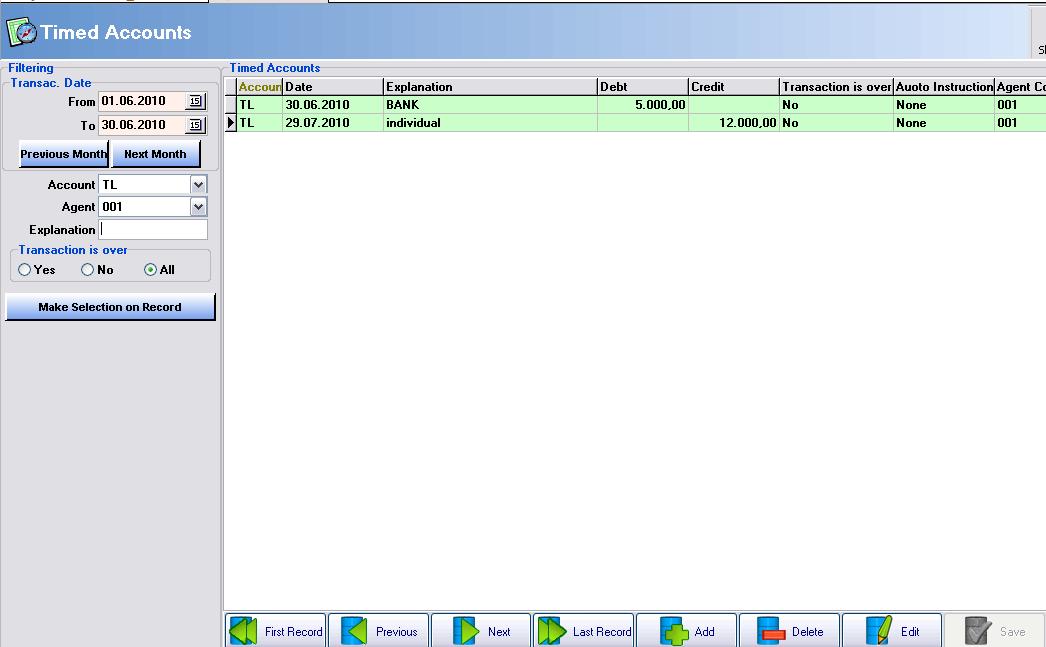
-From Analysis=>Timed Accounts menu, you can enter your regular payments each month in specific dates. Thus, the system will alert you when the incoming payments and automatically performs the process.
Example; Each month, you will have to pay electricity bills regularly. By entering into this card, after writing the date, if you make the Auto Instructions options is YES, the system will apply the process – when coming the day – in accordance with your cash or bank that you have made automatically.
BAŞKA BİR SORUNUZ MU VAR?
TEKNİK DESTEK EKİBİMİZE 7/24 ULAŞABİLİR VE TÜM SORULARINIZI İLETEBİLİRSİNİZ.
GÜVENLİK DOĞRULAMASI
Lütfen işlemi onaylayın