ÇÖZÜM BULAMADINIZ MI?
TEKNİK BİR SORUN YAŞIYORSANIZ UZMAN EKİBİMİZE ANINDA ULAŞABİLİRSİNİZ.
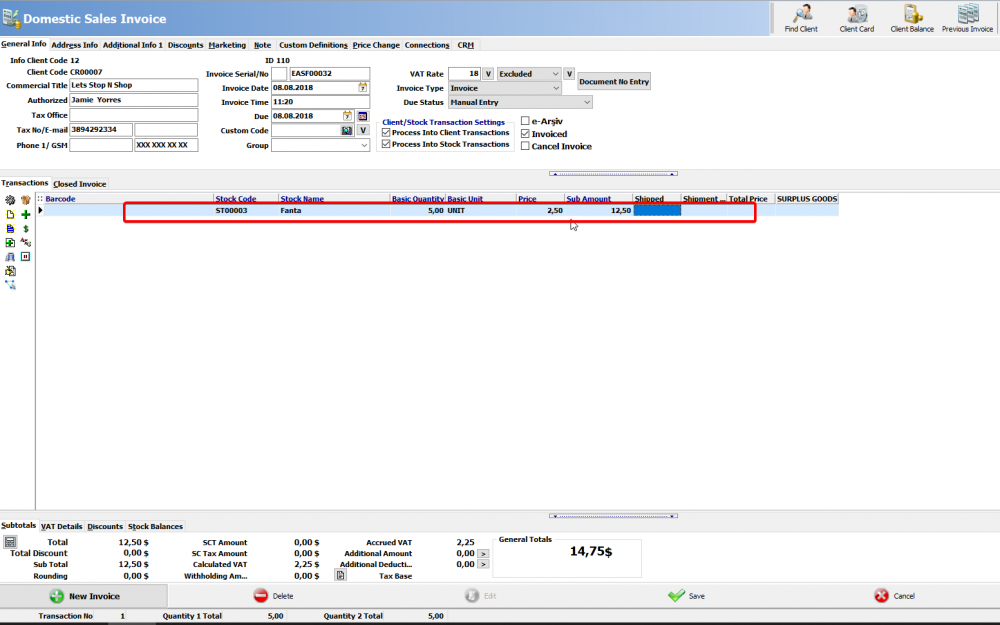
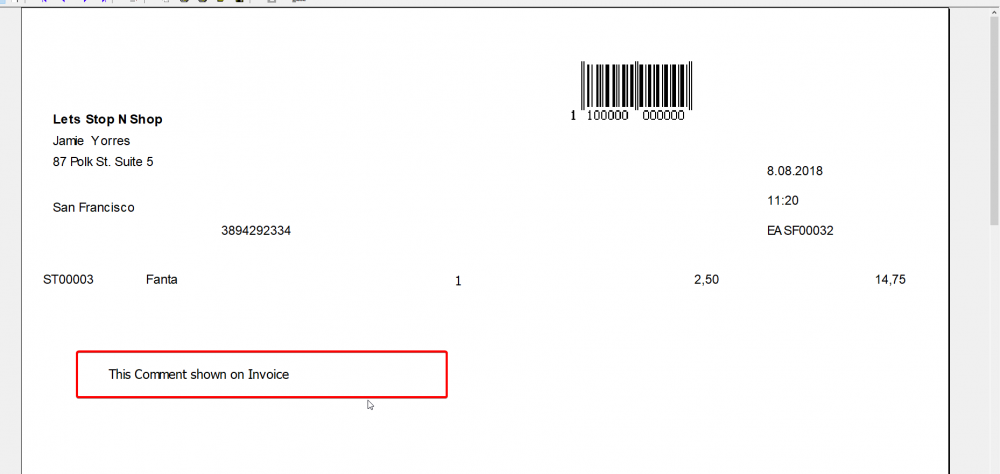
How to Show Stock Comment info At Invoice design
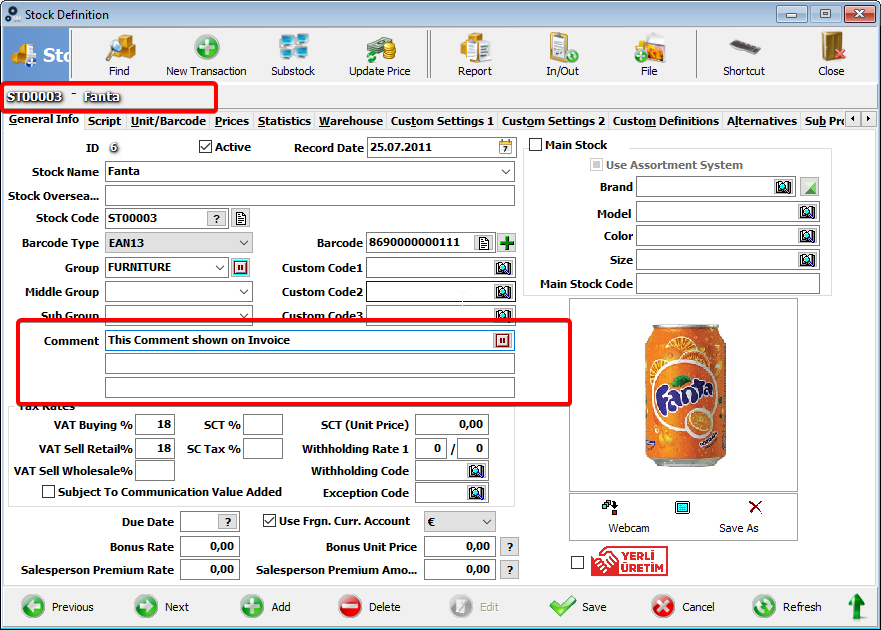
We must make some settings for this process...
First step;
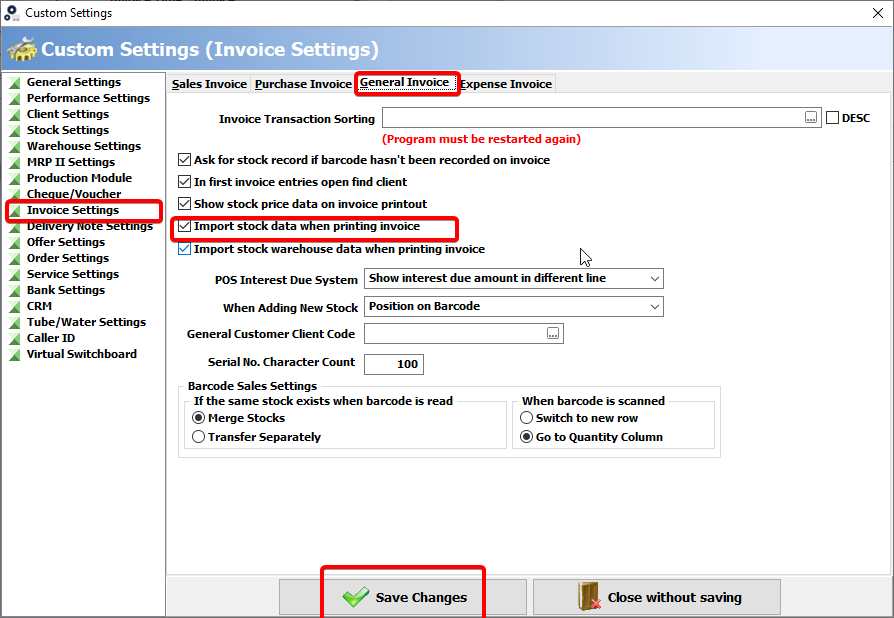
Click Admin - Custom Definitions - Custom Settings. Invoice settins > General Invoice must be checked "Import Stock data when printing invoice".
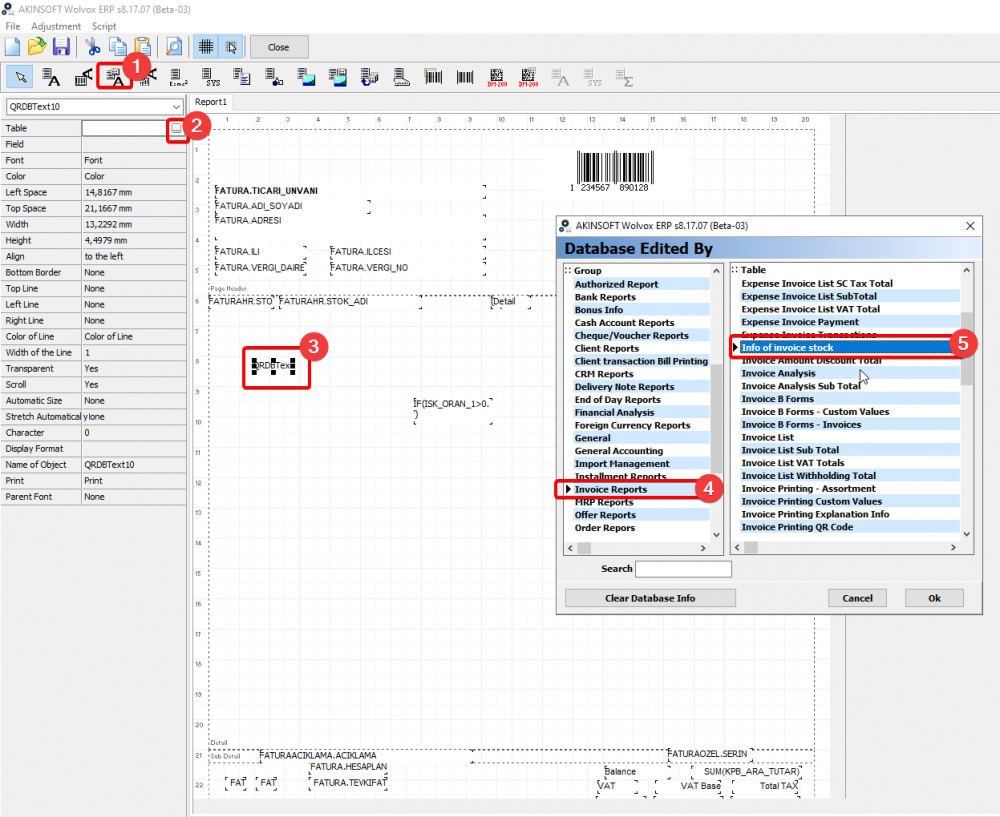
After that step, when we are creating a new invoice we must add a new fields This fields are;
add a data field;
click ... button and
Choose Table.Invoice Report - Info of invoice stock
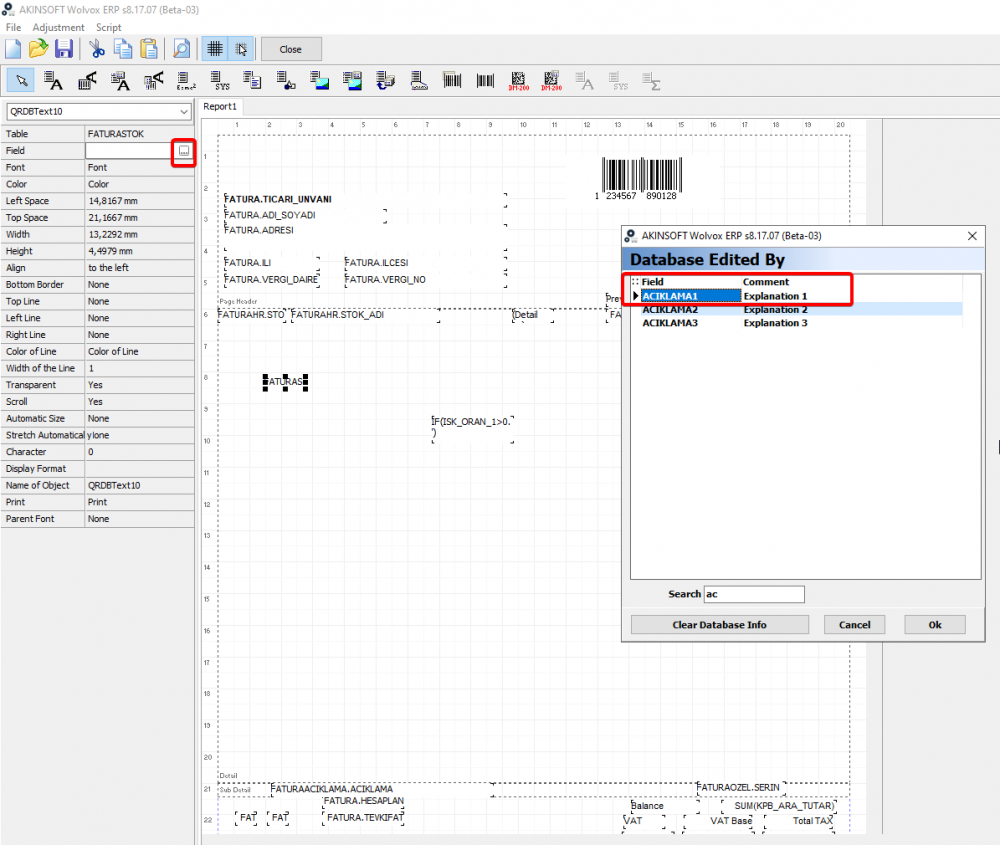
after this step, click ... button from field option.
Choose Explanation 1 all settings are done for this process..
Save and close this page, print or preview your design at Invoice
BAŞKA BİR SORUNUZ MU VAR?
TEKNİK DESTEK EKİBİMİZE 7/24 ULAŞABİLİR VE TÜM SORULARINIZI İLETEBİLİRSİNİZ.
GÜVENLİK DOĞRULAMASI
Lütfen işlemi onaylayın