ÇÖZÜM BULAMADINIZ MI?
TEKNİK BİR SORUN YAŞIYORSANIZ UZMAN EKİBİMİZE ANINDA ULAŞABİLİRSİNİZ.
Preventing Multiple Appearance of Pop-Up Message When Caller-ID Call Incoming
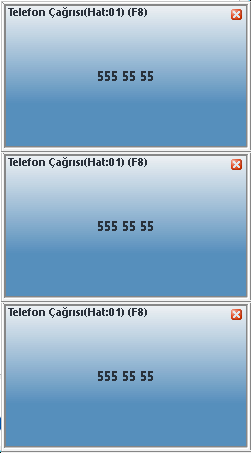
In some cases, in our programs such as Wolvox Restaurant, Wolvox ERP, which are used with the Caller-ID feature, the pop-up message that appears at the bottom right when a call comes in appears more than once for a single caller number.
To prevent this situation, go to the C:AKINSOFTCallerIdServer1 folder on the computer to which the Caller-ID device is connected, open the “Settings.ini” file with a notepad, delete the IP number in the IPNO=nnn.nnn.nnn.nnn line, write the IP number of the current computer and save it.
The Caller-ID Server program is restarted.
BAŞKA BİR SORUNUZ MU VAR?
TEKNİK DESTEK EKİBİMİZE 7/24 ULAŞABİLİR VE TÜM SORULARINIZI İLETEBİLİRSİNİZ.
GÜVENLİK DOĞRULAMASI
Lütfen işlemi onaylayın