ÇÖZÜM BULAMADINIZ MI?
TEKNİK BİR SORUN YAŞIYORSANIZ UZMAN EKİBİMİZE ANINDA ULAŞABİLİRSİNİZ.
Rounding Problem in Our AKINSOFT Program
1)ROUNDING PROBLEM IN QUANTITY FIELD
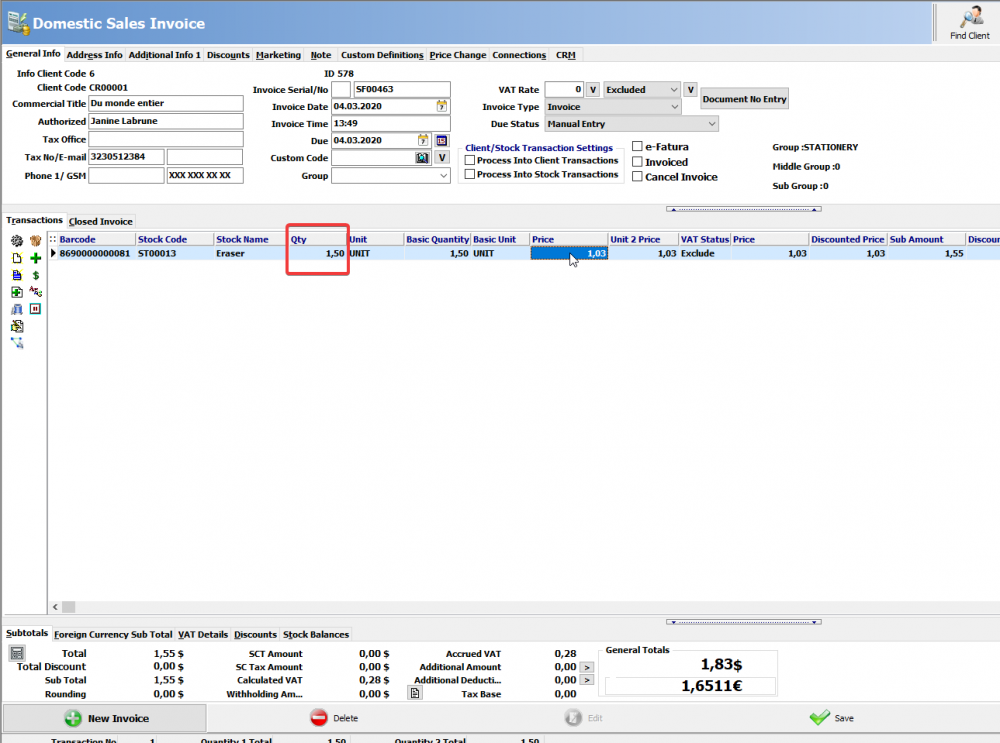
When processing in modules such as invoice, delivery note, order in your AKINSOFT program, you need to adjust the digit accuracy settings if it is rounded to 2 when you enter 1.50 in the QUANTITY field.
EXAMPLE: 1A
EXAMPLE:1B
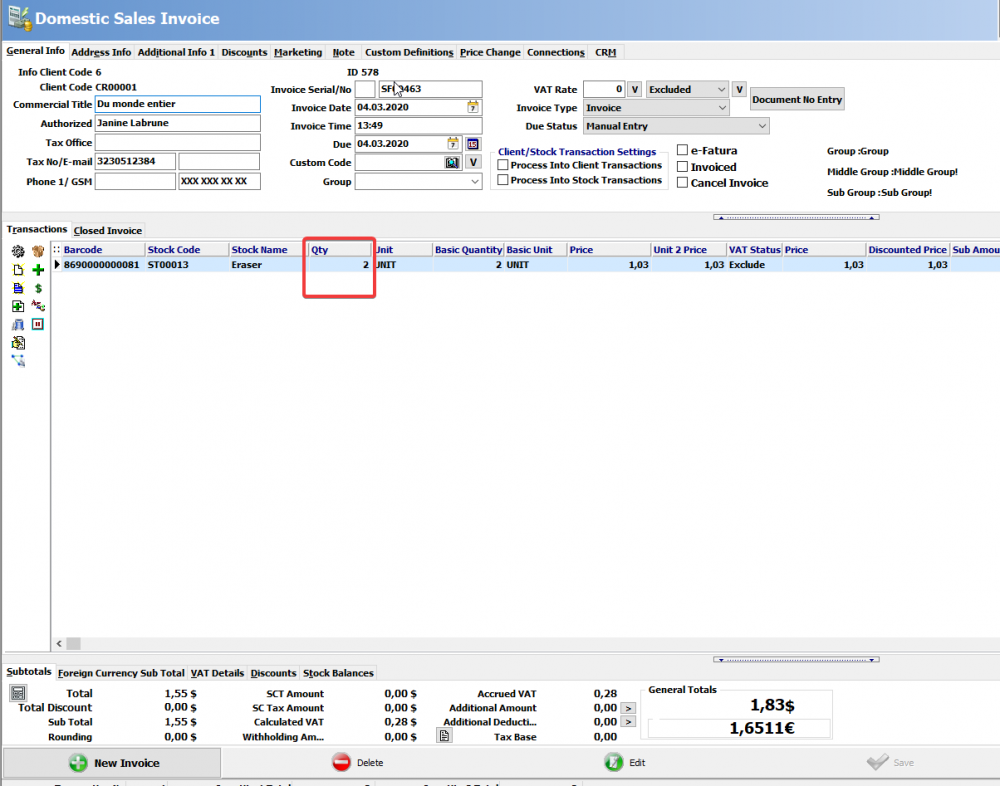
To fix the rounding problem;
Find Authorized ► Definitions ► General Settings
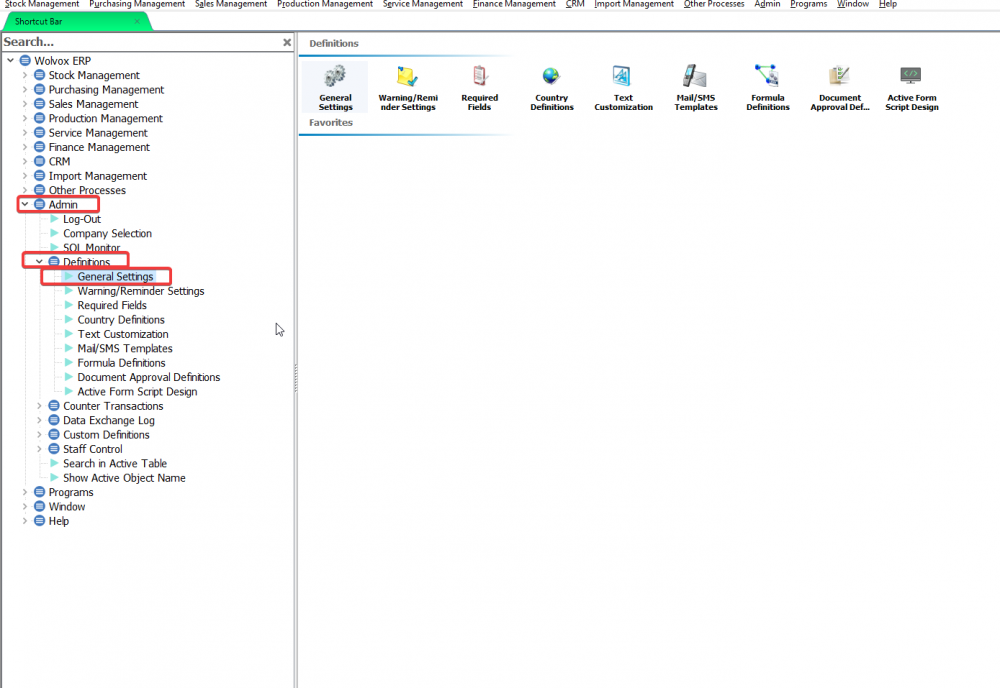
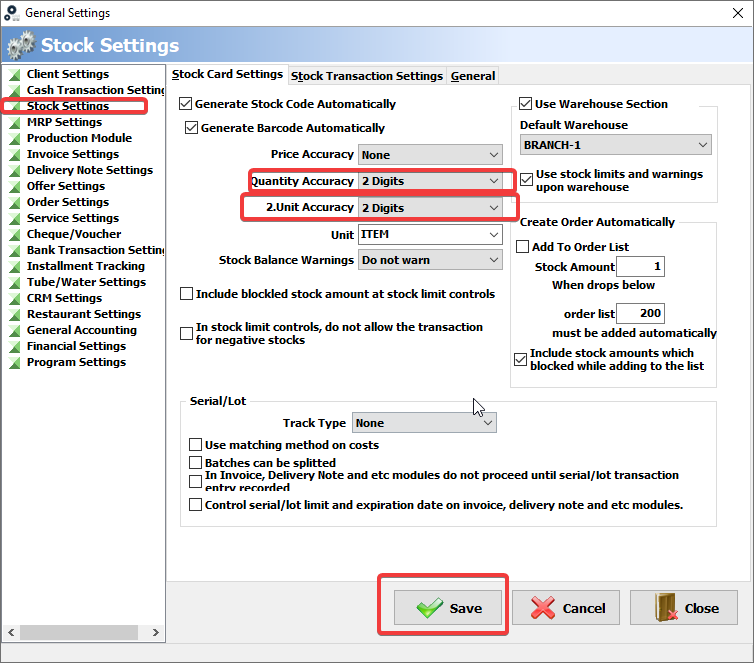
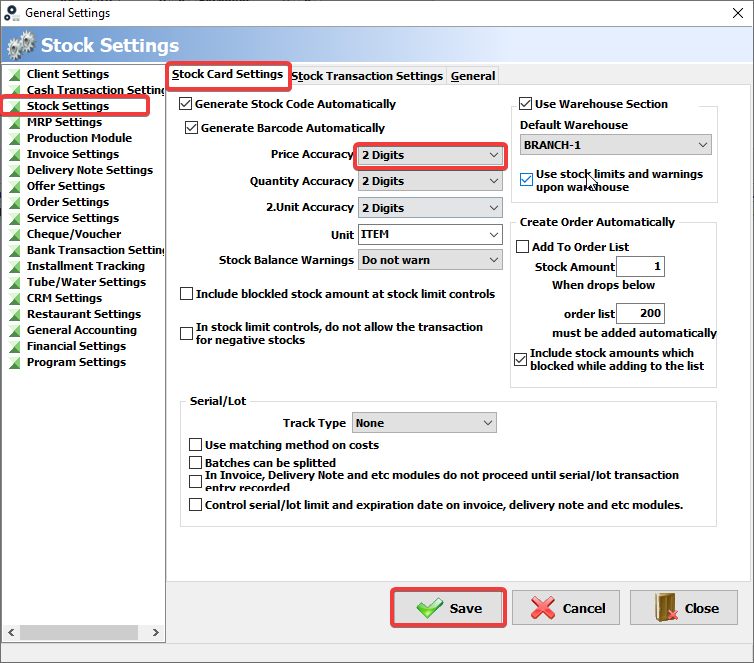
From the General Settings screen, click Stock Settings ► Stock Card Settings to increase the Quantity Accuracy and 2.Unit Accuracy.
If you want to see 2 digits (1.50) after the comma, set the digit accuracy settings to 2 digits.
If you want to see 3 digits (1,555) after the comma, set the digit accuracy settings to 3 digits.
Save.
You can enter data in the amount field by entering the module you want to process, in accordance with the accuracy values you have set.
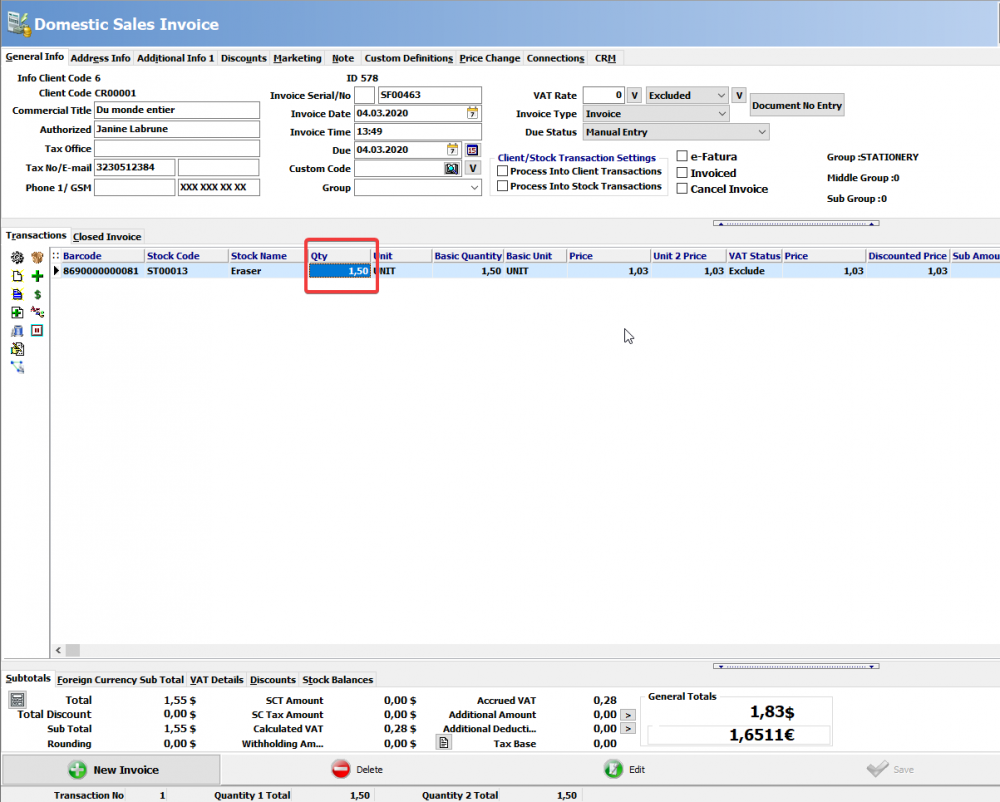
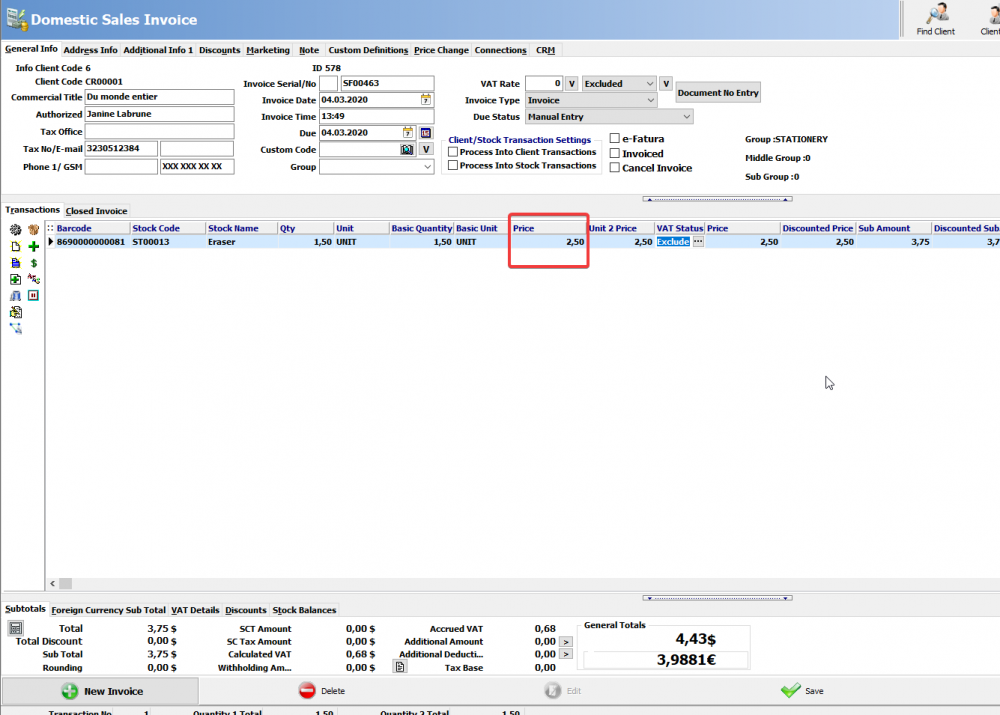
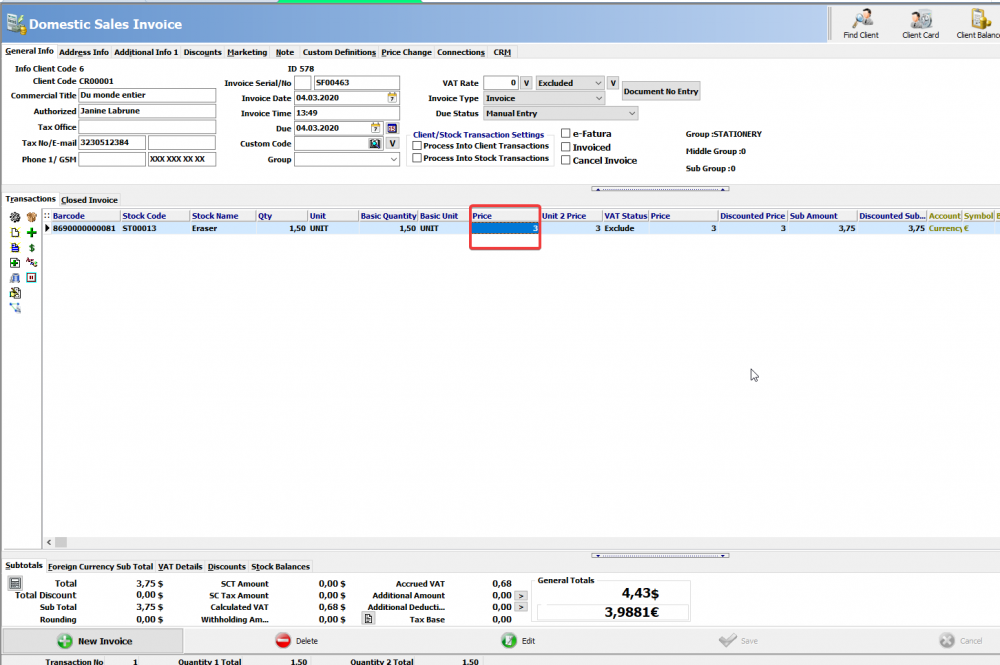
2) ROUNDING PROBLEM IN PRICE FIELD
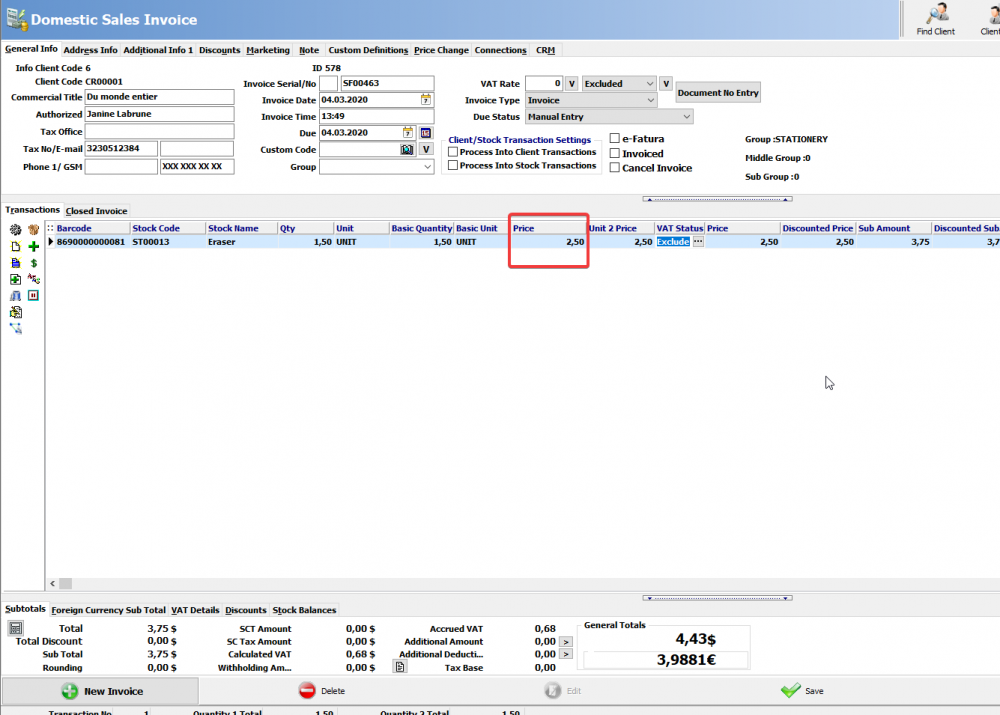
EXAMPLE:2A
EXAMPLE:2B
To fix the rounding problem;
Find Authorized ► Definitions ► General Settings
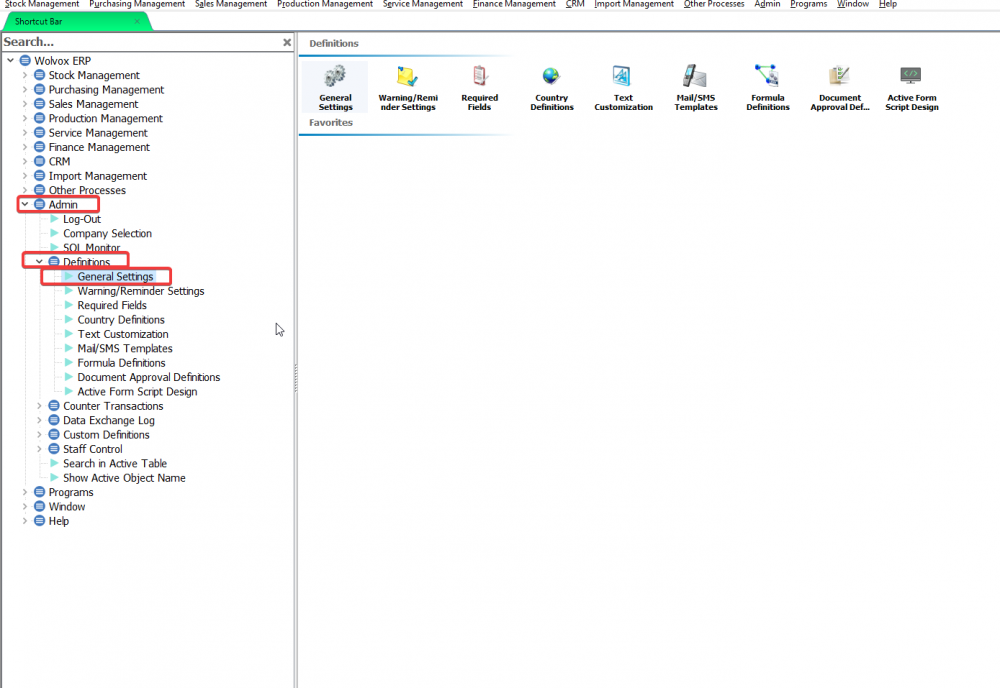
From the General Settings screen, click Stock Settings ► Stock Card Settings to increase the Price Accuracy
If you want to see 2 digits (2.50) after the comma, set the digit accuracy settings to 2 digits.
If you want to see 3 digits (2,555) after the comma, set the digit accuracy settings to 3 digits.
Save.
You can enter data in the Price field by entering the module you want to process, in accordance with the accuracy values you have set.
BAŞKA BİR SORUNUZ MU VAR?
TEKNİK DESTEK EKİBİMİZE 7/24 ULAŞABİLİR VE TÜM SORULARINIZI İLETEBİLİRSİNİZ.
GÜVENLİK DOĞRULAMASI
Lütfen işlemi onaylayın