ÇÖZÜM BULAMADINIZ MI?
TEKNİK BİR SORUN YAŞIYORSANIZ UZMAN EKİBİMİZE ANINDA ULAŞABİLİRSİNİZ.
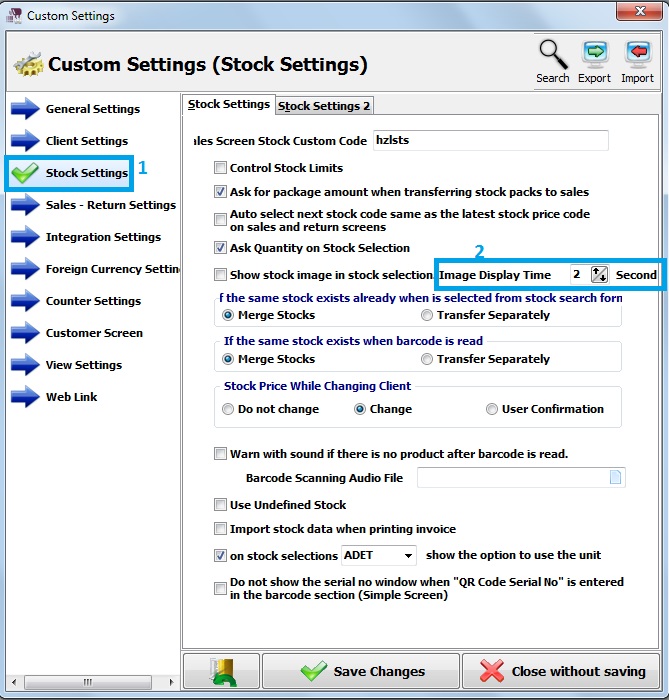
Show Stock Image In Stock Selection
First of all, click on Admin – Custom Definitions – Custom Settings.
After that, click on stock settings.
In the stock settings, there is an “Image Display Time” option.
You can increase or decrease seconds.
In the regular screen, you can see and show the product’s image.
When the stock is selected on the sales screen, click on the show image.
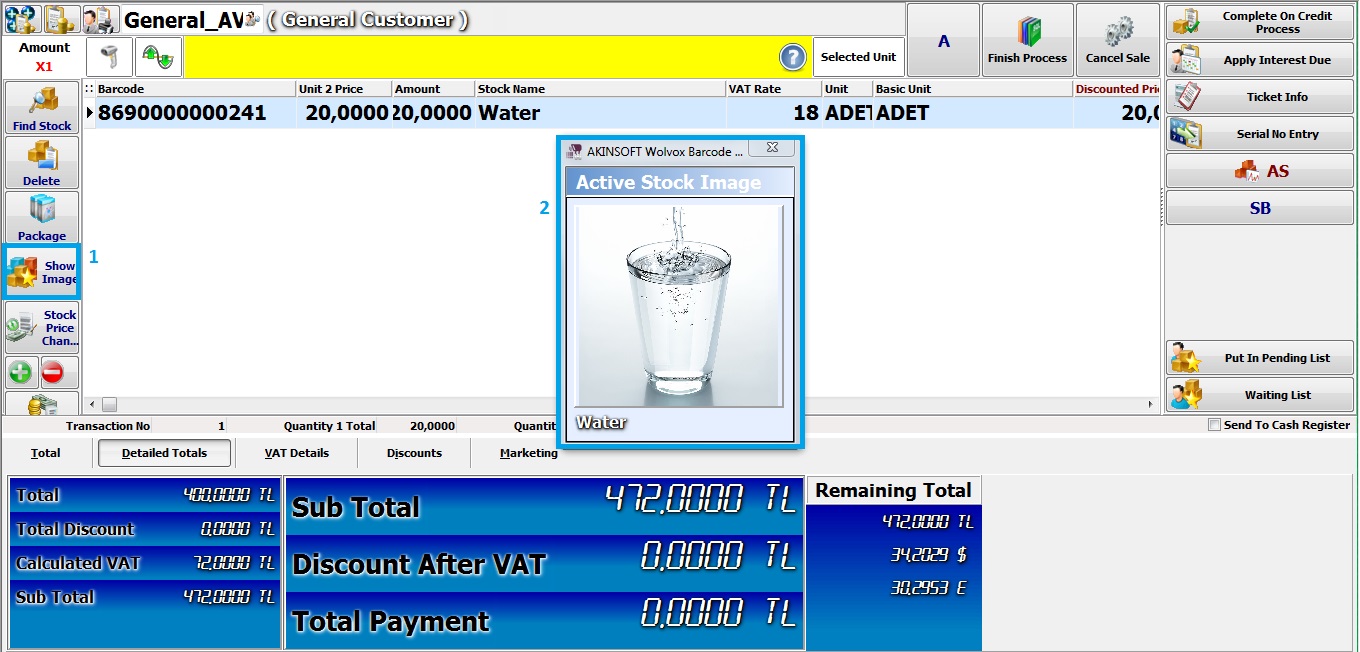
You can see the product’s image.
BAŞKA BİR SORUNUZ MU VAR?
TEKNİK DESTEK EKİBİMİZE 7/24 ULAŞABİLİR VE TÜM SORULARINIZI İLETEBİLİRSİNİZ.
GÜVENLİK DOĞRULAMASI
Lütfen işlemi onaylayın