ÇÖZÜM BULAMADINIZ MI?
TEKNİK BİR SORUN YAŞIYORSANIZ UZMAN EKİBİMİZE ANINDA ULAŞABİLİRSİNİZ.
Using Wolvox Restaurant Table Sketch System
Using Wolvox Restaurant Table System
With the table sketch feature in the Wolvox Restaurant program, you can design the table layout of your business in the program.
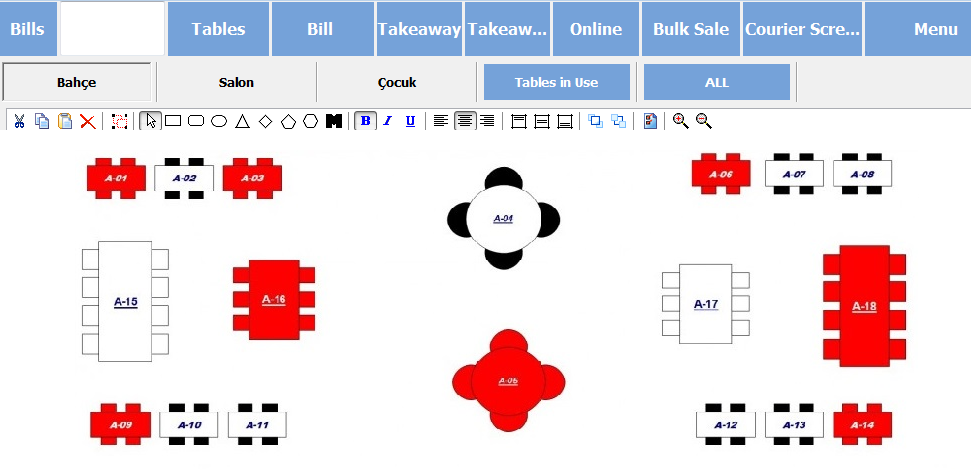
To use this feature;
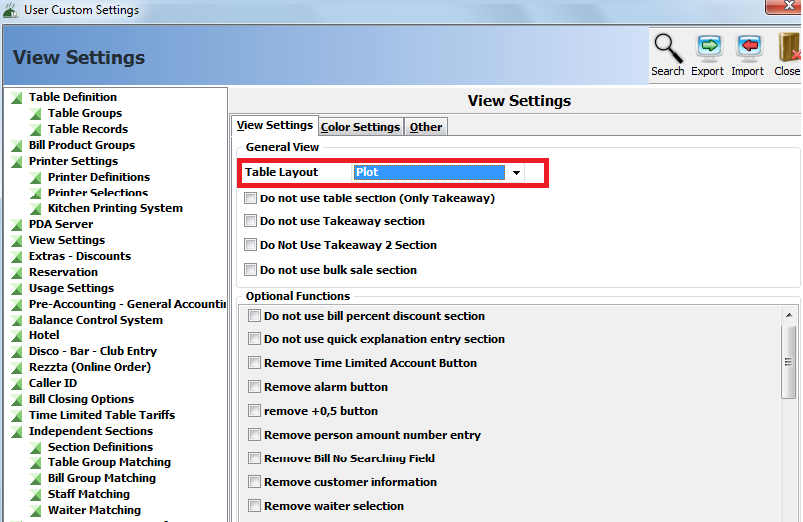
In the Wolvox Restaurant program, select the Sketch option from the Menu – Program Settings – Appearance Settings – Table Layout section.
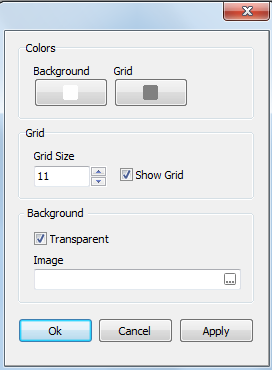
On the sketch screen, you can double-click on an empty area and add the picture file of your business’s sketch on the design properties screen to make the table layout exactly.
Then in the main menu, switch to Menu – Design Mode.
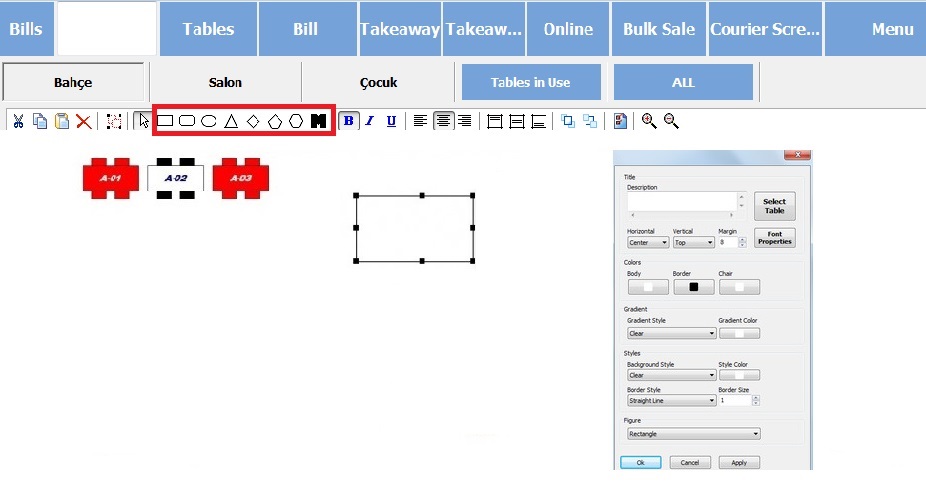
In Design Mode, select one of the selected shapes in the image above and add it to the sketch screen. Double-click on the shape you added to enter the object properties screen.
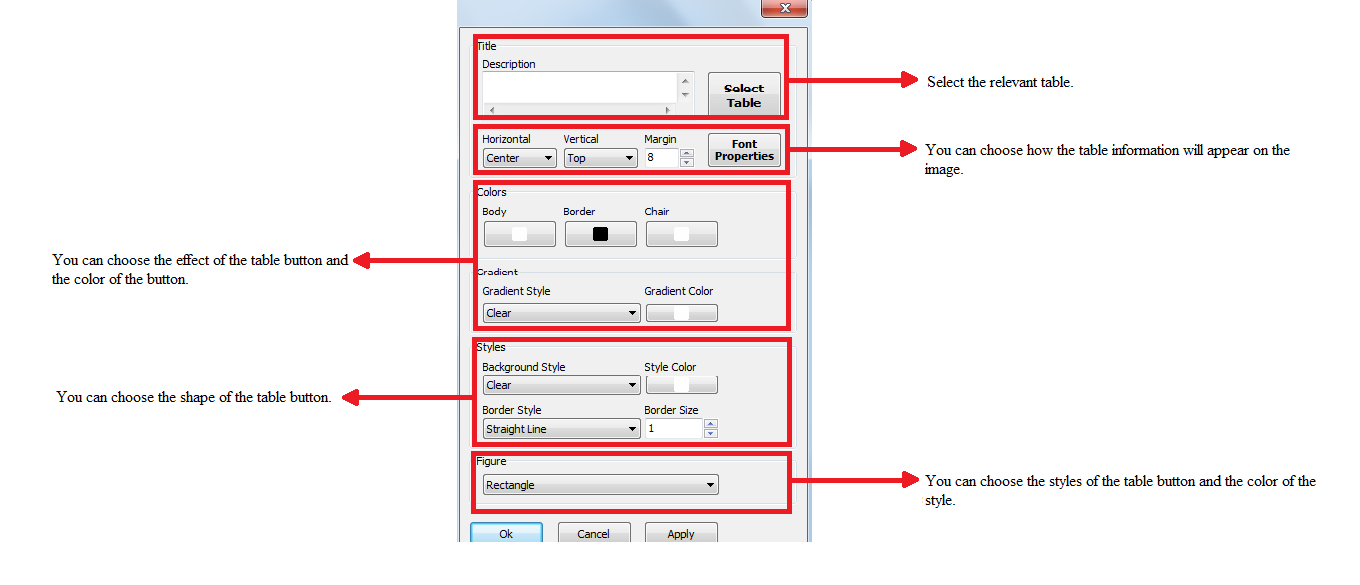
In the object properties screen, you can select the relevant table, as indicated in the image above, the color, font, style, shape, etc. of the table. you can make settings.
BAŞKA BİR SORUNUZ MU VAR?
TEKNİK DESTEK EKİBİMİZE 7/24 ULAŞABİLİR VE TÜM SORULARINIZI İLETEBİLİRSİNİZ.
GÜVENLİK DOĞRULAMASI
Lütfen işlemi onaylayın