ÇÖZÜM BULAMADINIZ MI?
TEKNİK BİR SORUN YAŞIYORSANIZ UZMAN EKİBİMİZE ANINDA ULAŞABİLİRSİNİZ.
Adding Social Media Links to QR Menu
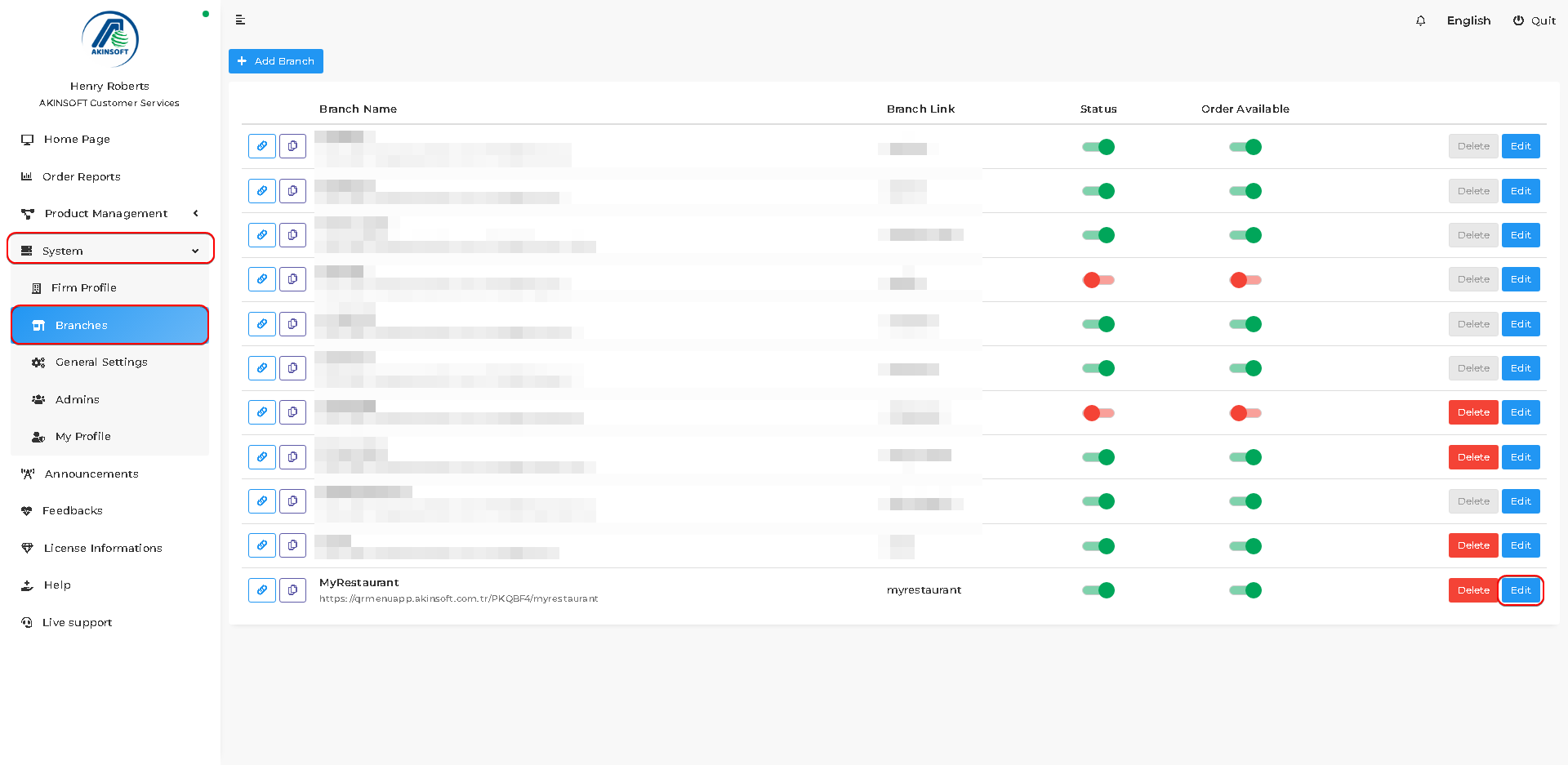
Follow the steps below in order to show your social media account on QR Menu;
- Press System => Branches => Edit Branch
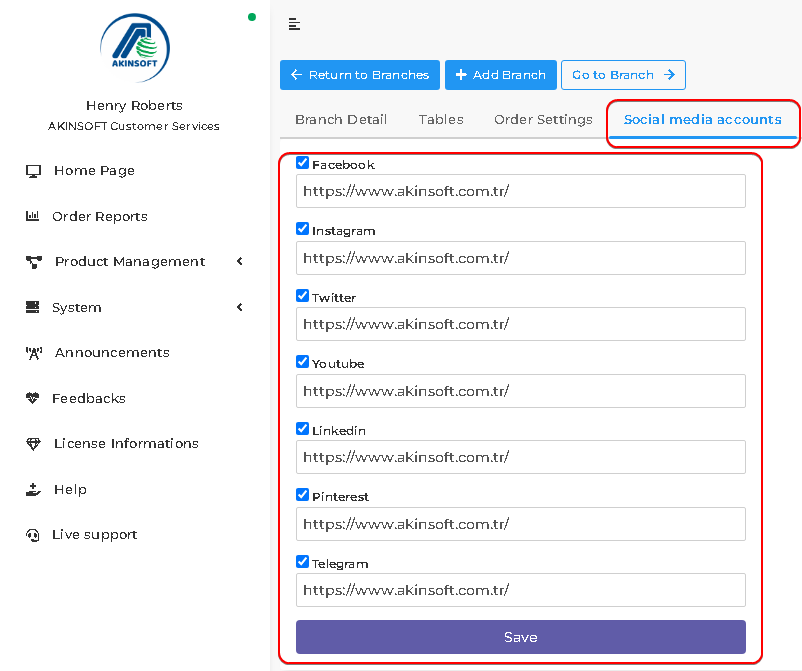
- Press the ‘Social media accounts’ button.
- Activate whichever social media accounts you want to show in QR Menu by pressing boxes next to names of social media.
- Put links into text areas and press the ‘Save’ button.
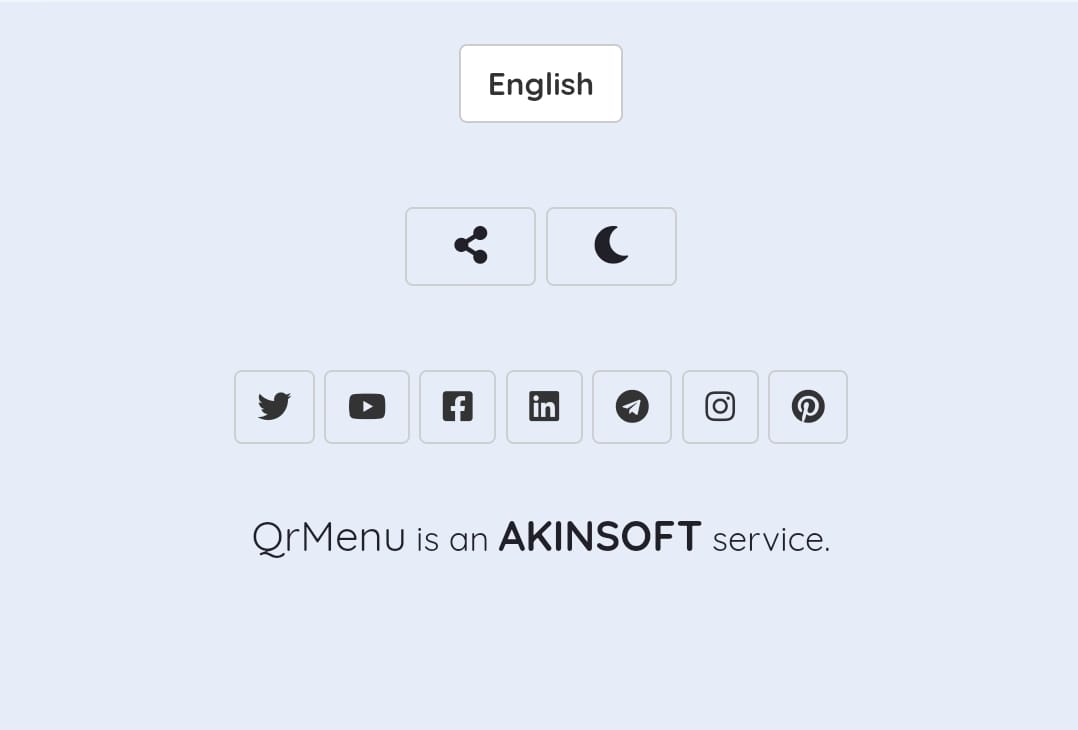
- Social media buttons will be shown bottom of the page.
BAŞKA BİR SORUNUZ MU VAR?
TEKNİK DESTEK EKİBİMİZE 7/24 ULAŞABİLİR VE TÜM SORULARINIZI İLETEBİLİRSİNİZ.
GÜVENLİK DOĞRULAMASI
Lütfen işlemi onaylayın