ÇÖZÜM BULAMADINIZ MI?
TEKNİK BİR SORUN YAŞIYORSANIZ UZMAN EKİBİMİZE ANINDA ULAŞABİLİRSİNİZ.
Usage of WhatsApp Feature in QR Menu
All necessary steps are explained below in order to activate the feature of sending orders to the Whatsapp Account of the restaurant.
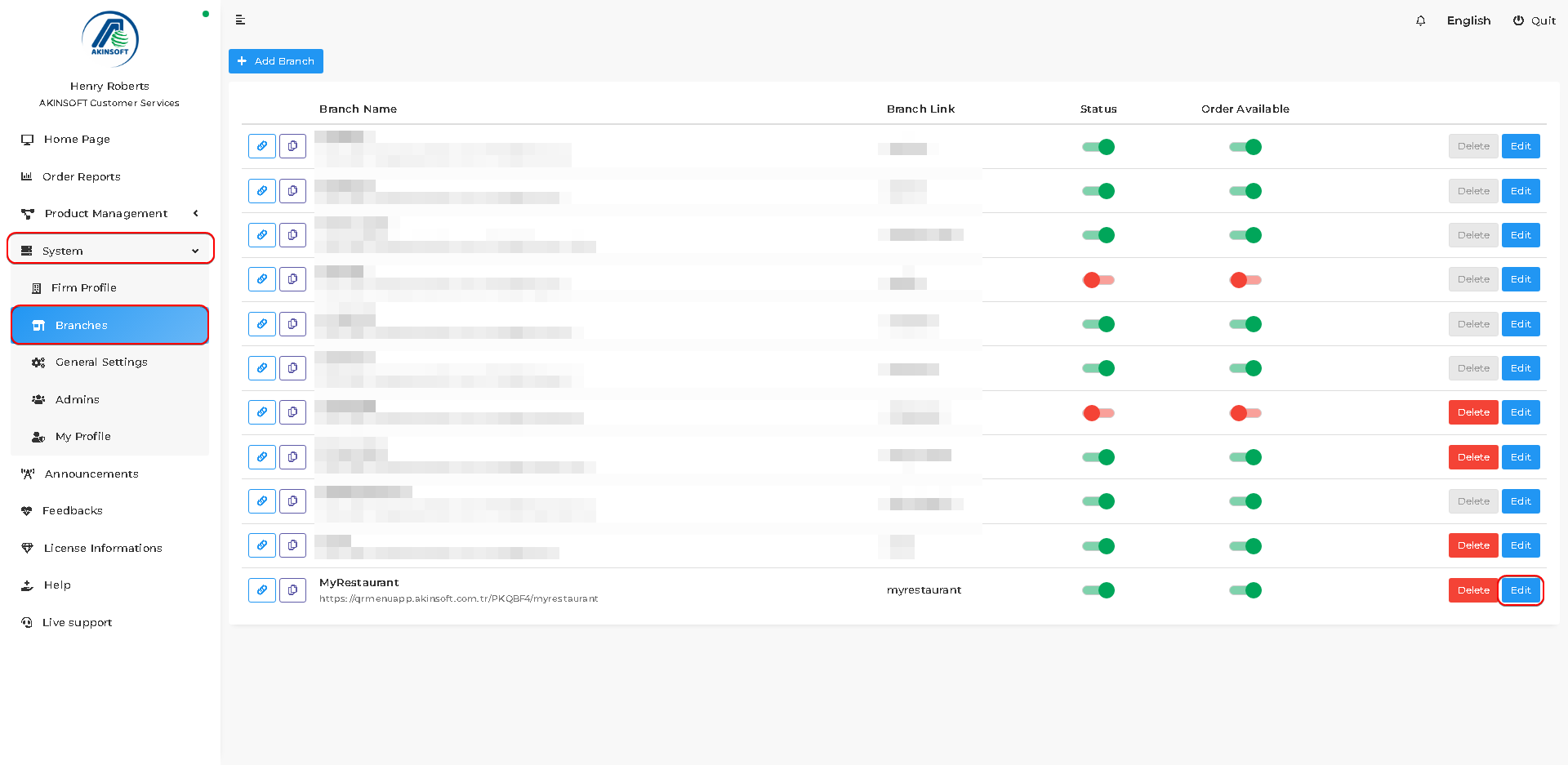
- Press System->Branches.
- Press the ‘Edit’ button of the branch that you want to activate the feature.
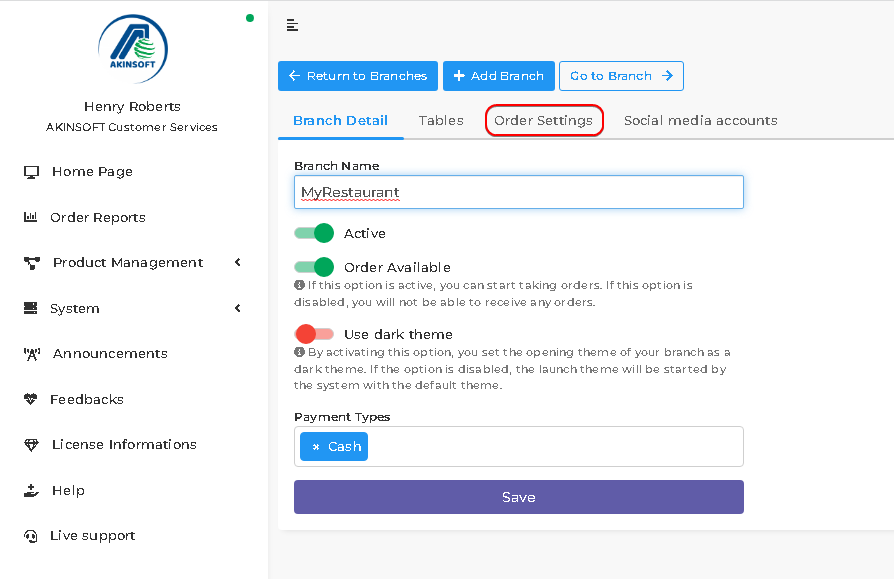
- Press the ‘Order Settings’ button that is on the branch edit page.
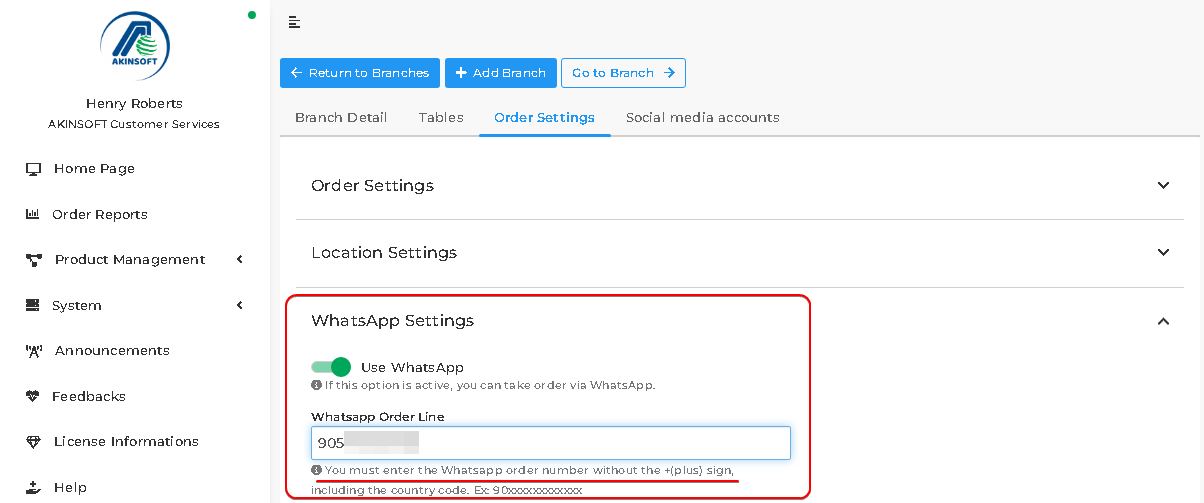
- You can activate the feature and type your WhatsApp number as in below.
- You must enter the WhatsApp order number without the +(plus) sign, including the country code. Ex: 90xxxxxxxxxxxx.
- Press the ‘Save’ button.
- You successfully activated the feature. Now let’s see the customer side.
- When orders are ready and customers clicked the ‘Send Order’ button, they can send the order by pressing the ‘Send via WhatsApp’ button on the opened page.
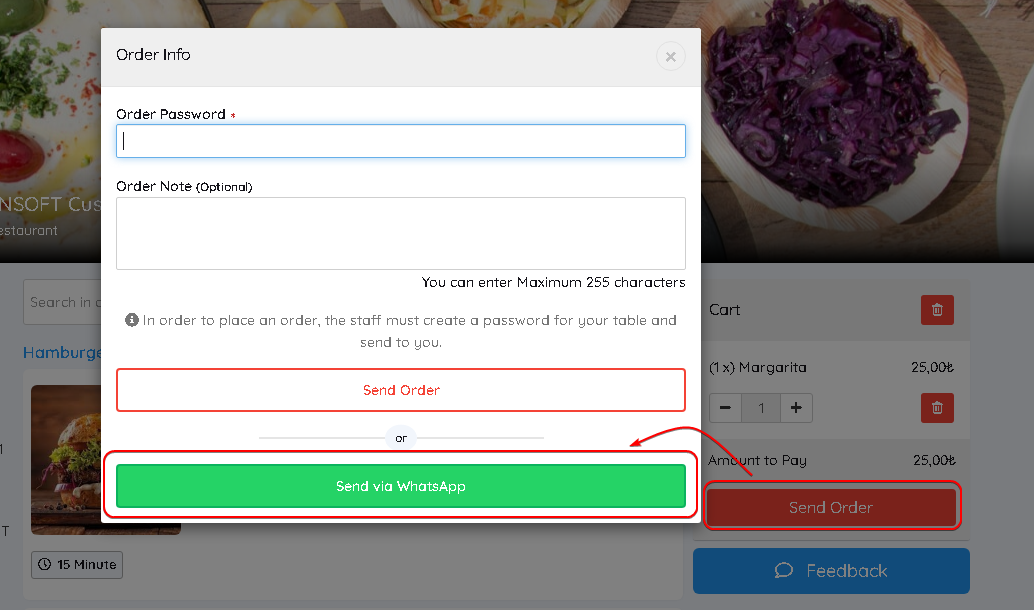
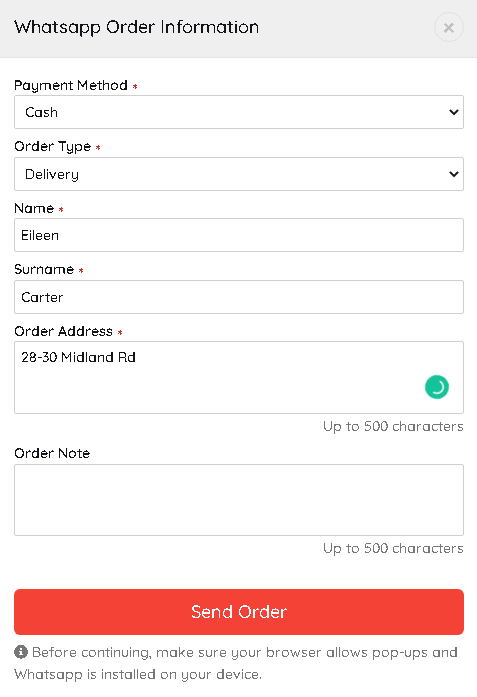
- There is some information that needs to be filled in by customers.
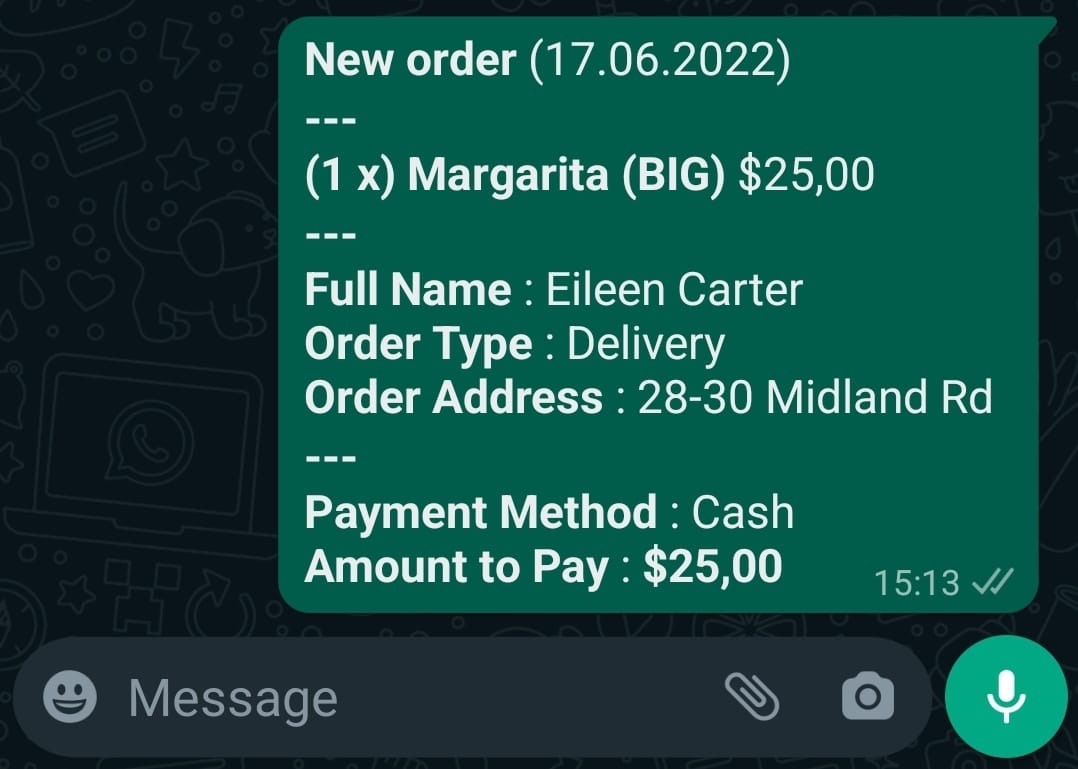
- Depending on entered information messages will be created and sent from customers’ WhatsApp accounts as below.
BAŞKA BİR SORUNUZ MU VAR?
TEKNİK DESTEK EKİBİMİZE 7/24 ULAŞABİLİR VE TÜM SORULARINIZI İLETEBİLİRSİNİZ.
GÜVENLİK DOĞRULAMASI
Lütfen işlemi onaylayın