ÇÖZÜM BULAMADINIZ MI?
TEKNİK BİR SORUN YAŞIYORSANIZ UZMAN EKİBİMİZE ANINDA ULAŞABİLİRSİNİZ.
AKINSOFT Wolvox ERP Admin Panel Access
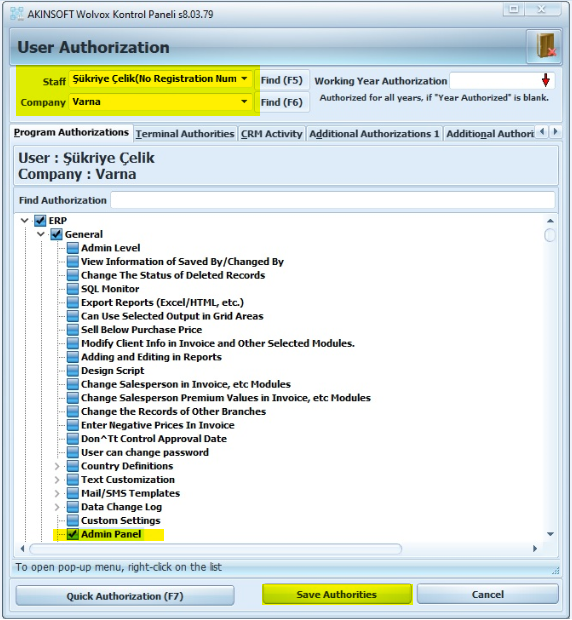
How can I activate one of my users admin panel access?
The company and the personnel to be given authorization must be chosen from Control Panel > User Authorization. Wolvox ERP – General – Admin Panel Authorization must be given.
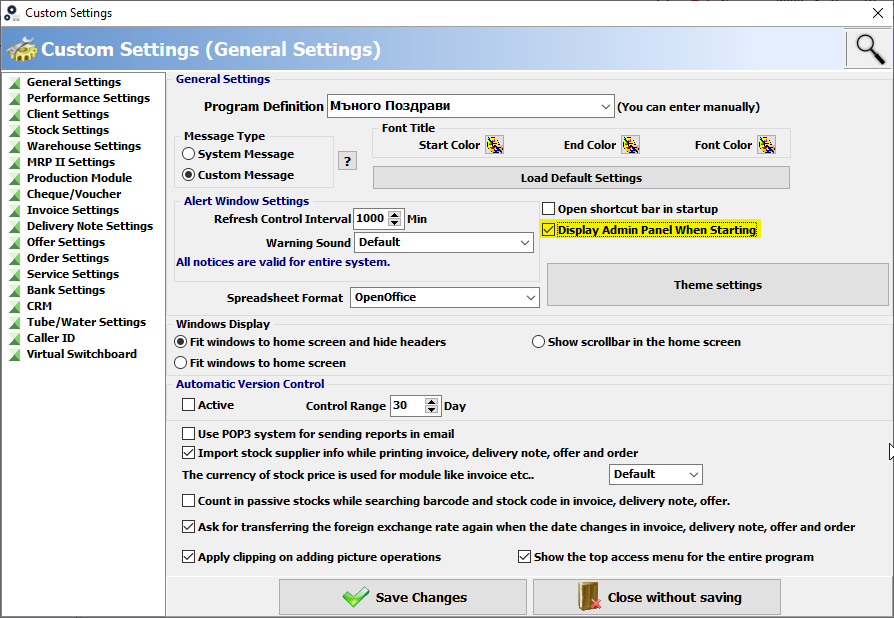
How can I get the admin screen to come or not when the AKINSOFT Wolvox ERP program opens?
You can activate or deactivate it by checking the “Display Admin Panel When Starting” from Admin > Custom Definitions > Custom Settings > General Settings
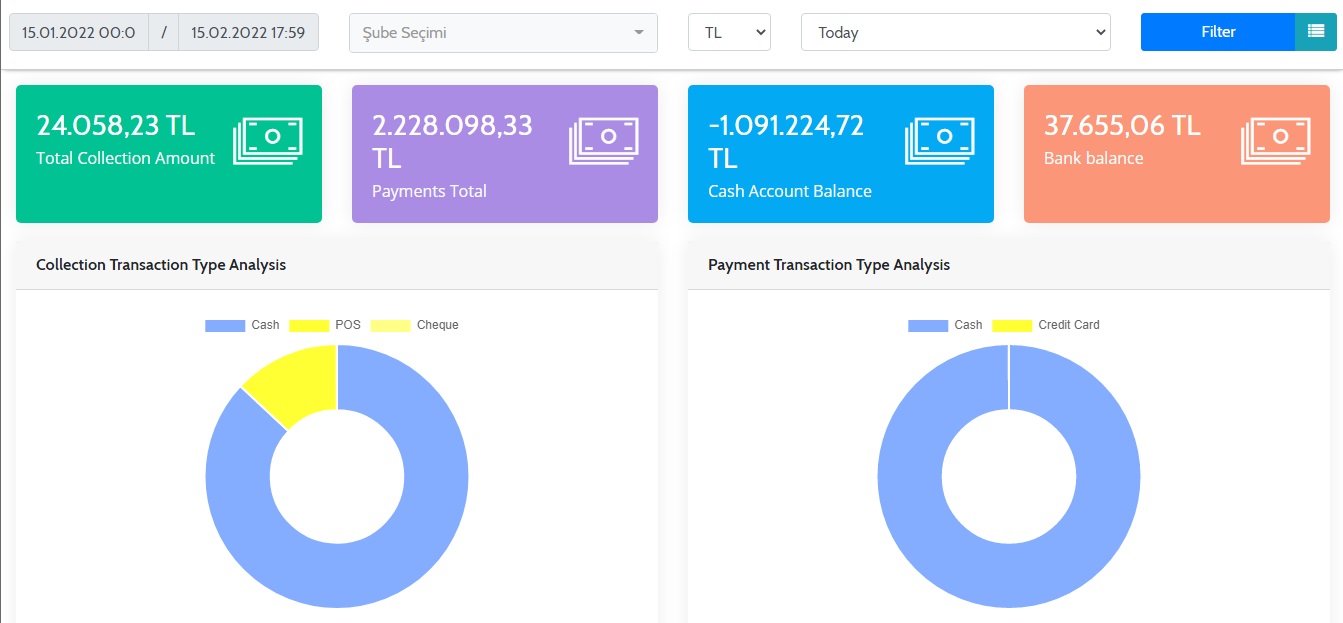
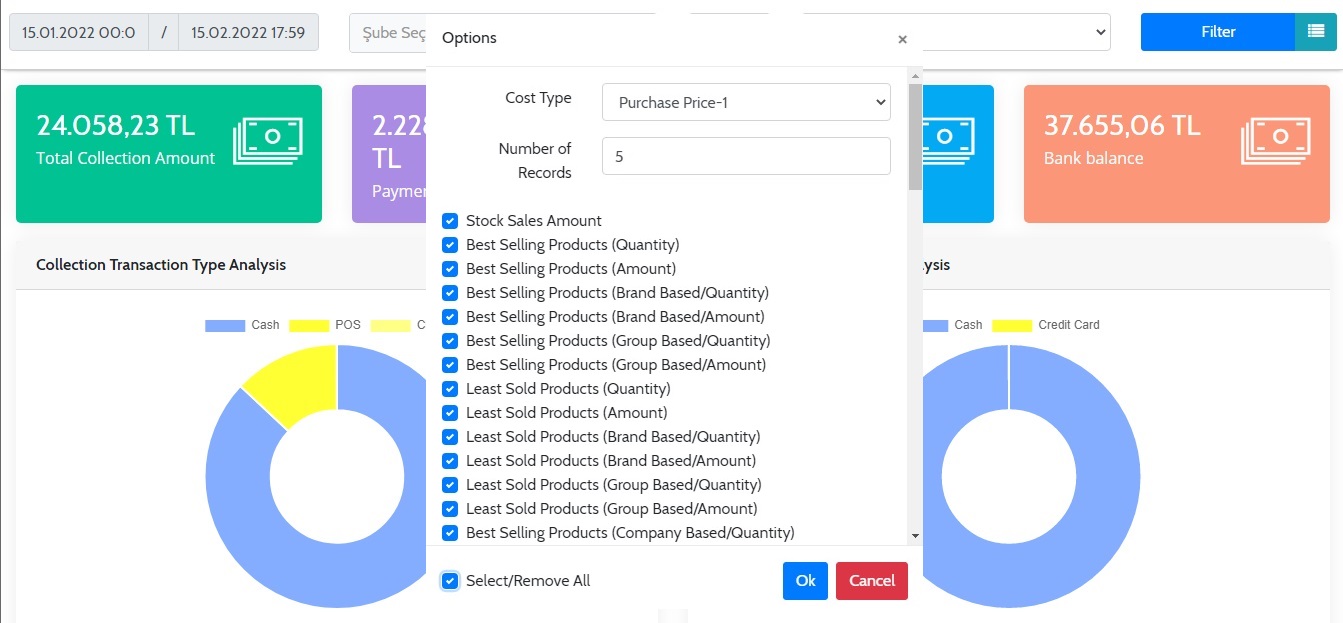
Admin Panel Image Examples
BAŞKA BİR SORUNUZ MU VAR?
TEKNİK DESTEK EKİBİMİZE 7/24 ULAŞABİLİR VE TÜM SORULARINIZI İLETEBİLİRSİNİZ.
GÜVENLİK DOĞRULAMASI
Lütfen işlemi onaylayın