ÇÖZÜM BULAMADINIZ MI?
TEKNİK BİR SORUN YAŞIYORSANIZ UZMAN EKİBİMİZE ANINDA ULAŞABİLİRSİNİZ.
Changing Table Views in the Restaurant Program
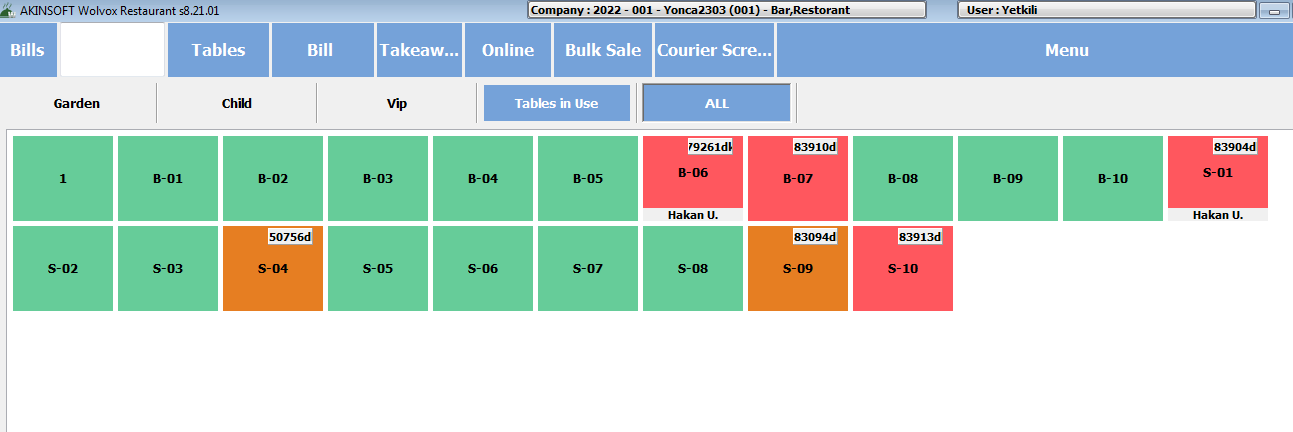
As seen on the screen below If you want to update our tables, which are opened only by color selection, with a table view, we need to follow the steps below.
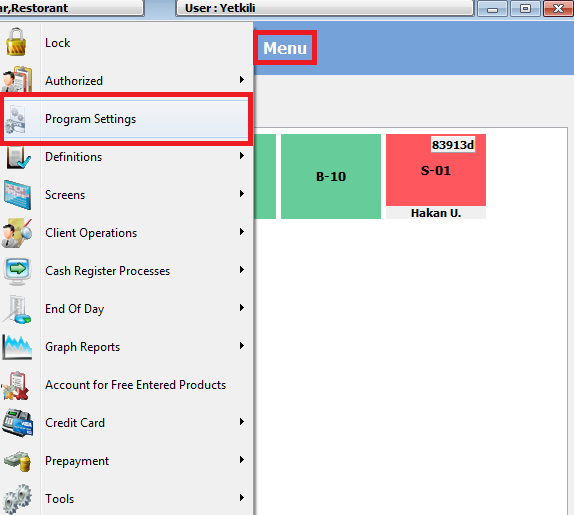
From Menu > Program Settings step
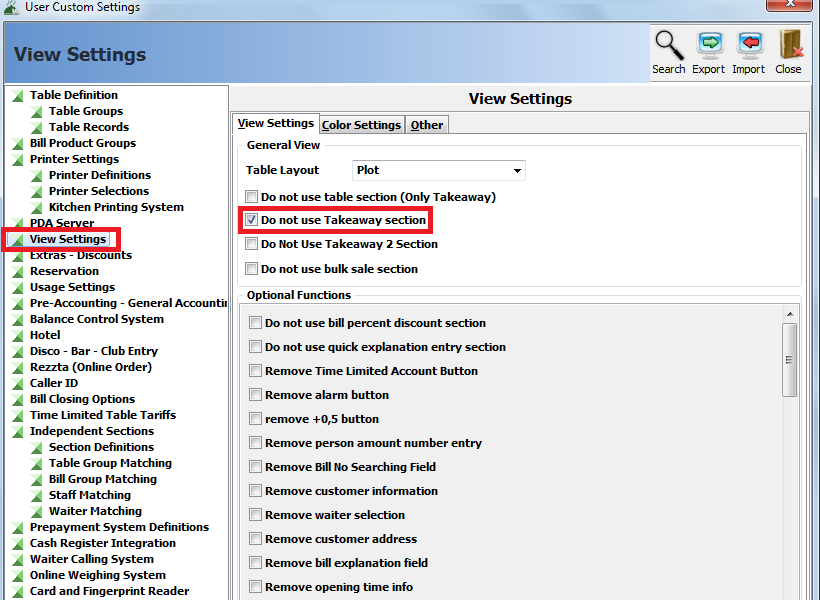
In the settings window, we enter the view settings and tick “Use Simple Table View”.
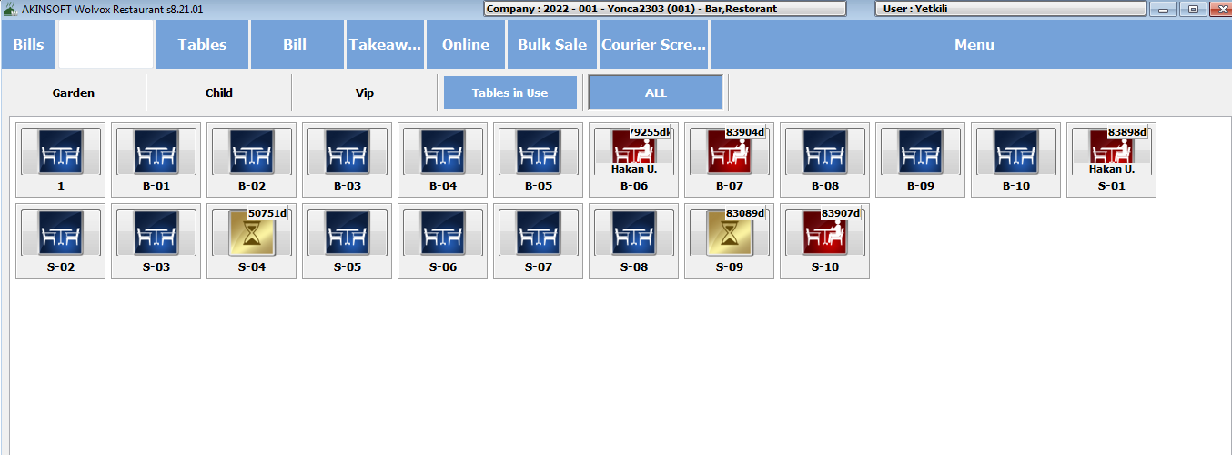
Then, after the necessary settings are made, you will have a view like the one below.
BAŞKA BİR SORUNUZ MU VAR?
TEKNİK DESTEK EKİBİMİZE 7/24 ULAŞABİLİR VE TÜM SORULARINIZI İLETEBİLİRSİNİZ.
GÜVENLİK DOĞRULAMASI
Lütfen işlemi onaylayın