ÇÖZÜM BULAMADINIZ MI?
TEKNİK BİR SORUN YAŞIYORSANIZ UZMAN EKİBİMİZE ANINDA ULAŞABİLİRSİNİZ.
Creating TaskPano Workspace and Workspace Settings
Creating Workspace
Follow steps in below to create a workspace in TaskPano.
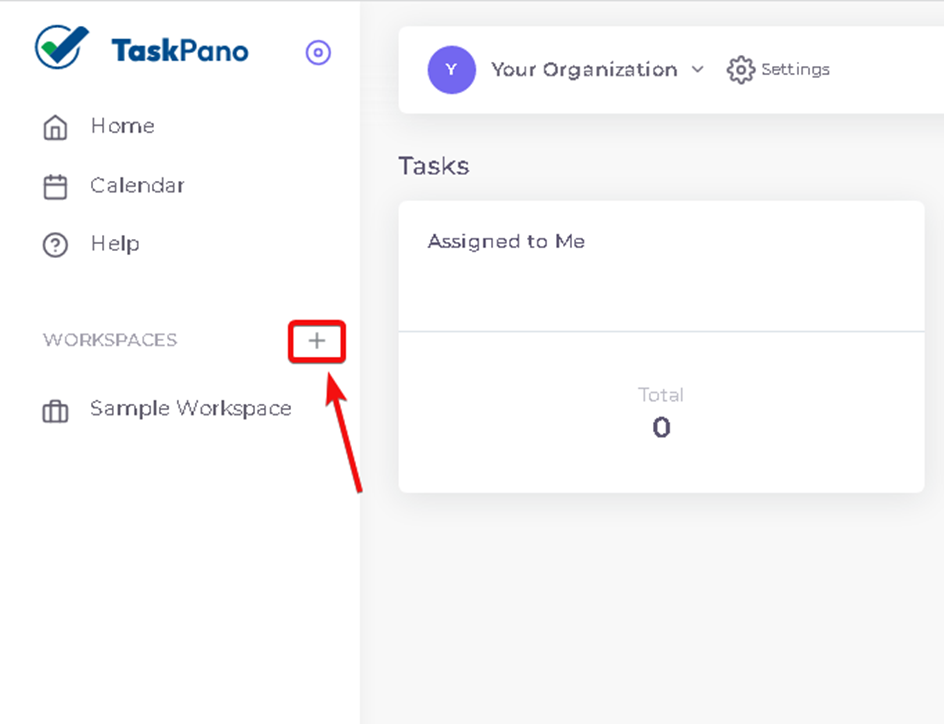
1.Press ‘+’ button in near of ‘Workspaces’ tag in left side of main menu.
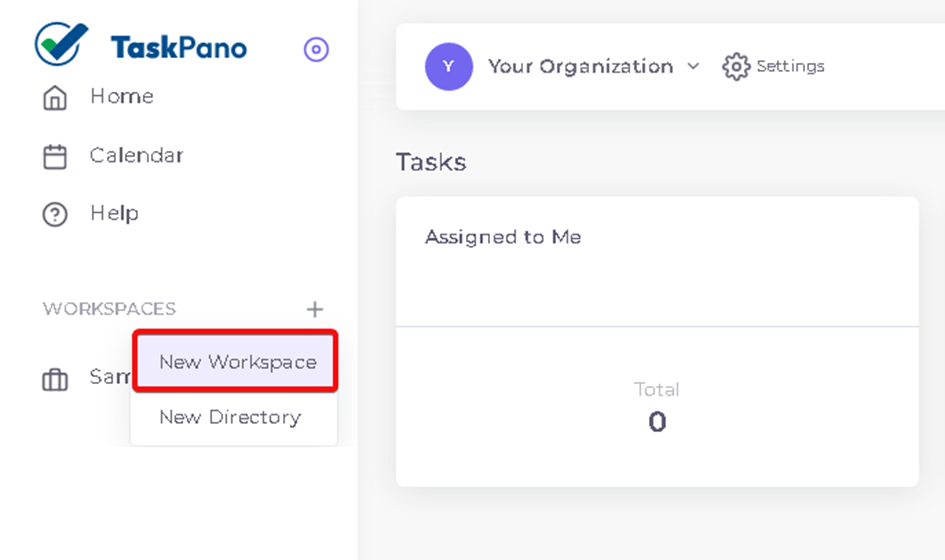
2.Press ‘New Workspace’.
3.Give a name for your Workspace and if necessary workspace code, workspace type and workspace description can be add.
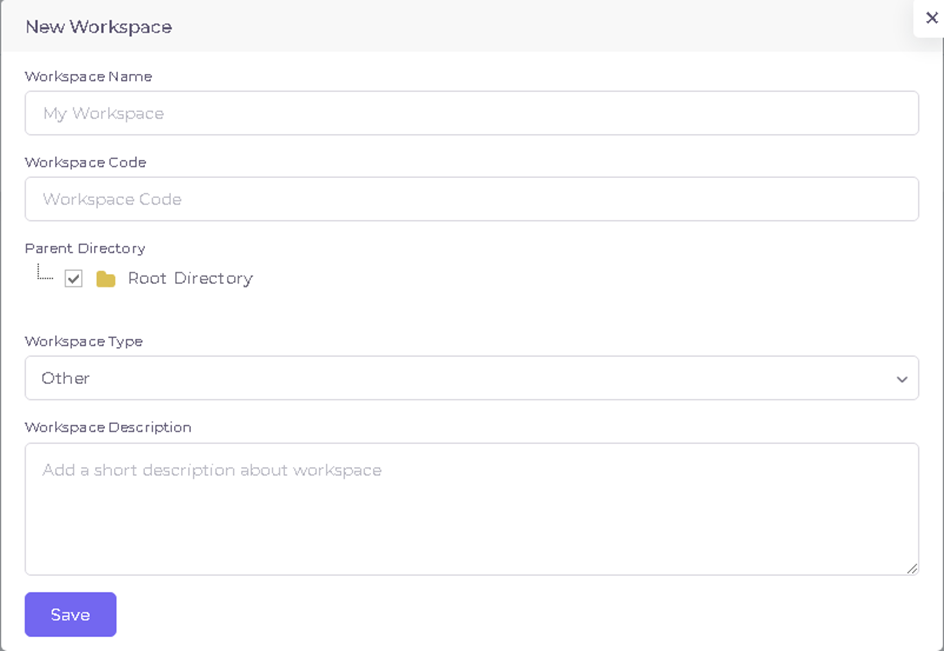
Press ‘Save’ button to finalize workspace entry.
Workspace Settings
Follow steps in below to reach workspace settings.
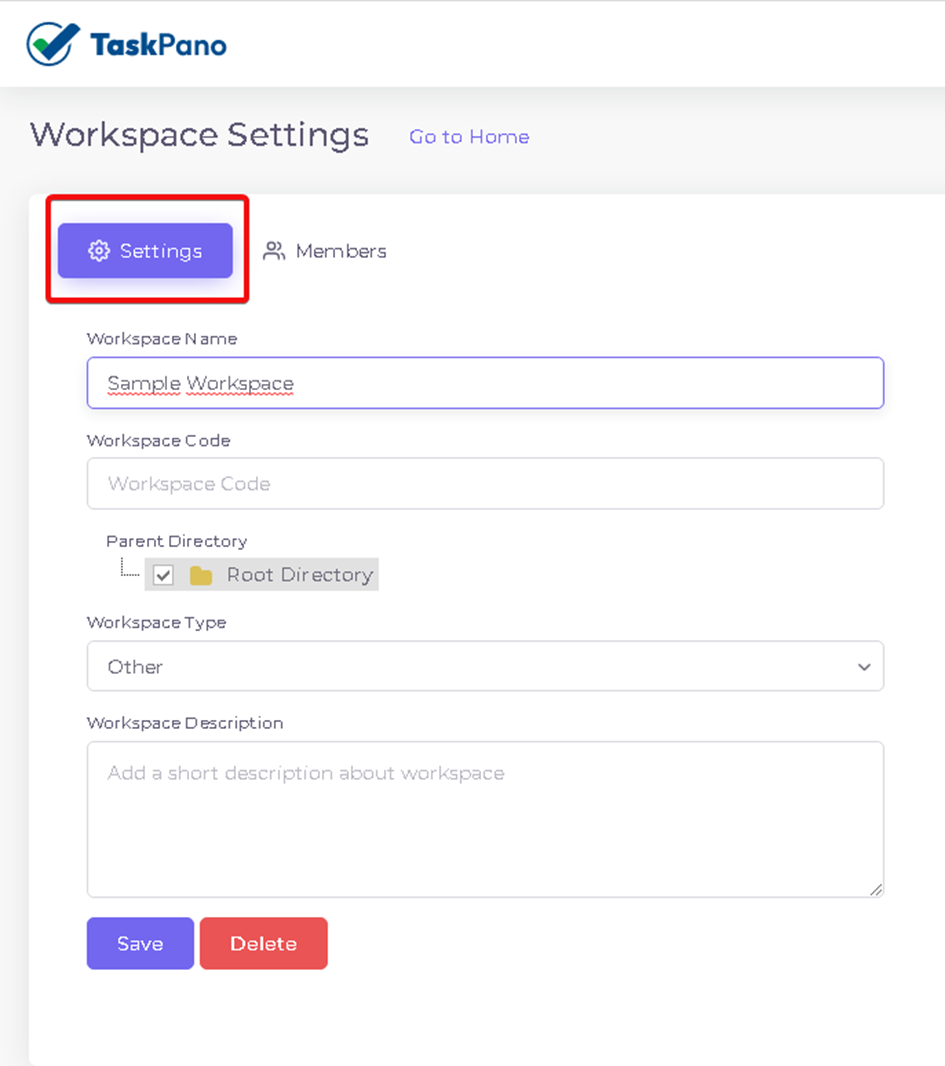
1.After workspace you created is selected from left side on main page, press ‘Settings’ button near of your workspace name on above of page.
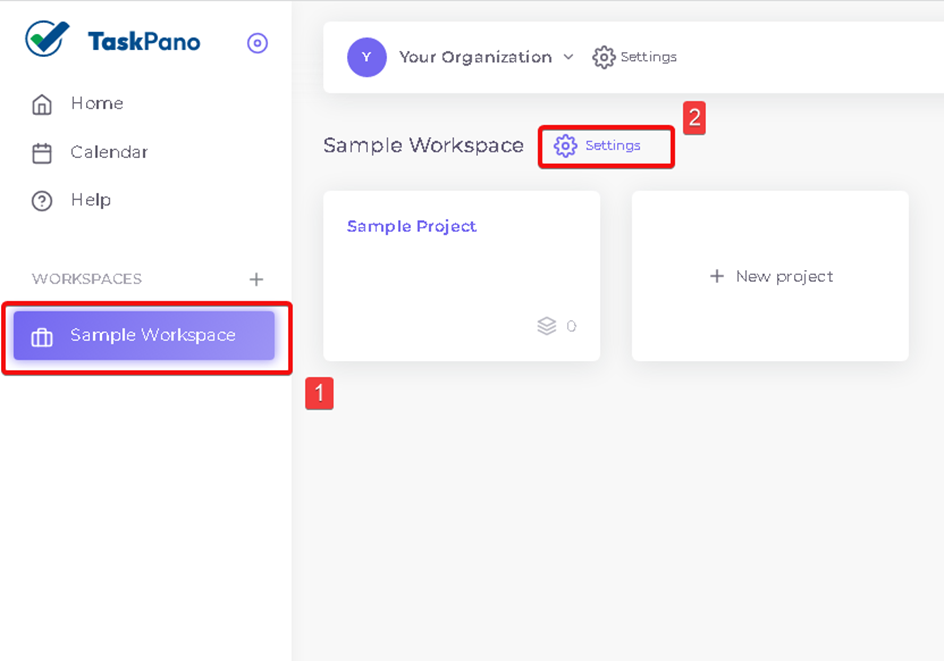
- Workspace information can be edit from ‘Settings’ tab.
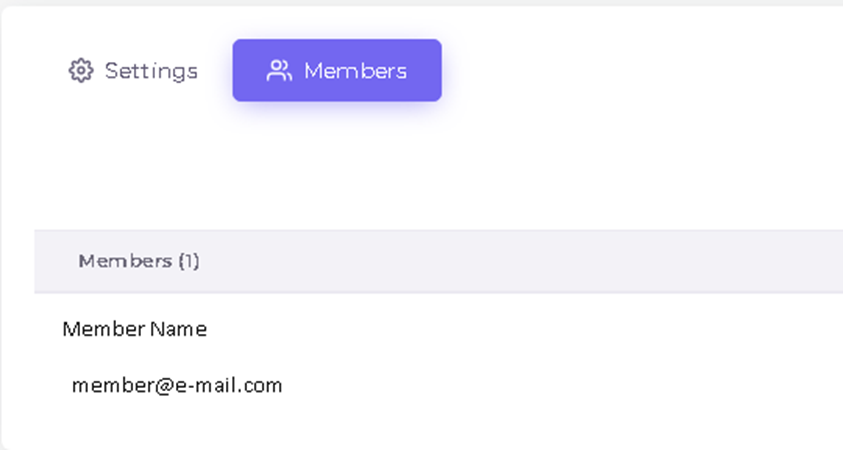
- Members(Participants) can be review from ‘Members’ tab and a member can be add by pressing ‘add’ button.
(Member will be add to a workspace must be add to organization first.)
BAŞKA BİR SORUNUZ MU VAR?
TEKNİK DESTEK EKİBİMİZE 7/24 ULAŞABİLİR VE TÜM SORULARINIZI İLETEBİLİRSİNİZ.
GÜVENLİK DOĞRULAMASI
Lütfen işlemi onaylayın