ÇÖZÜM BULAMADINIZ MI?
TEKNİK BİR SORUN YAŞIYORSANIZ UZMAN EKİBİMİZE ANINDA ULAŞABİLİRSİNİZ.
Creating TaskPano Organization and Organization Settings
Creating Organization
To create organization in TaskPano follow steps in below.
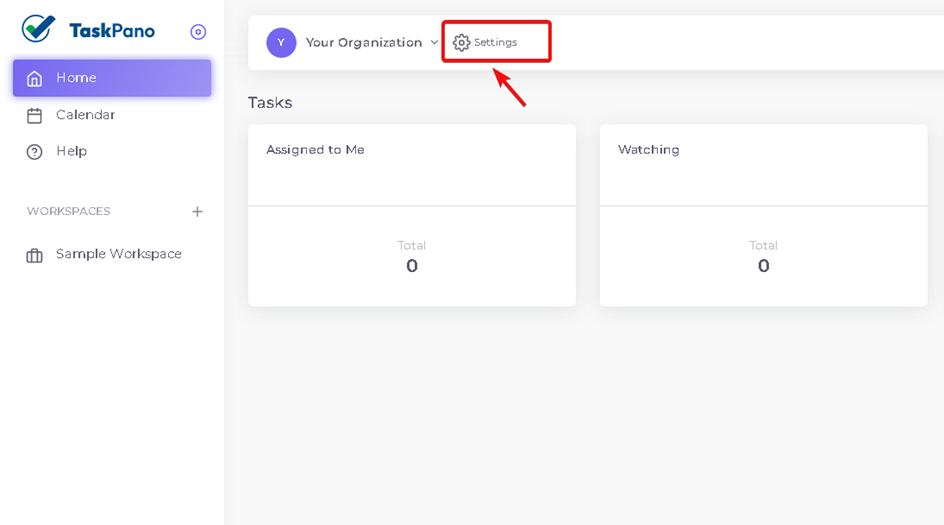
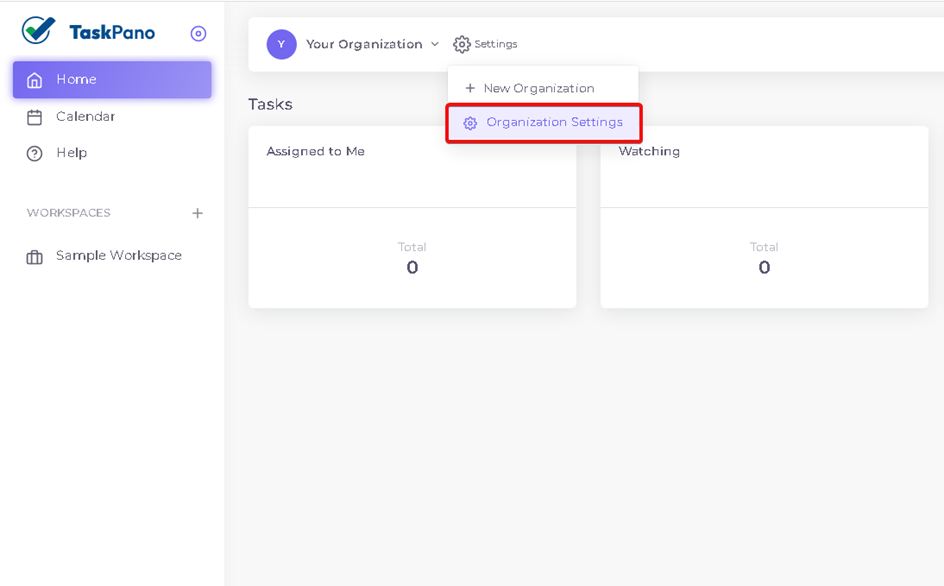
1.When you log in TaskPano, Press ‘Settings’ button near of organization name that is created for you.
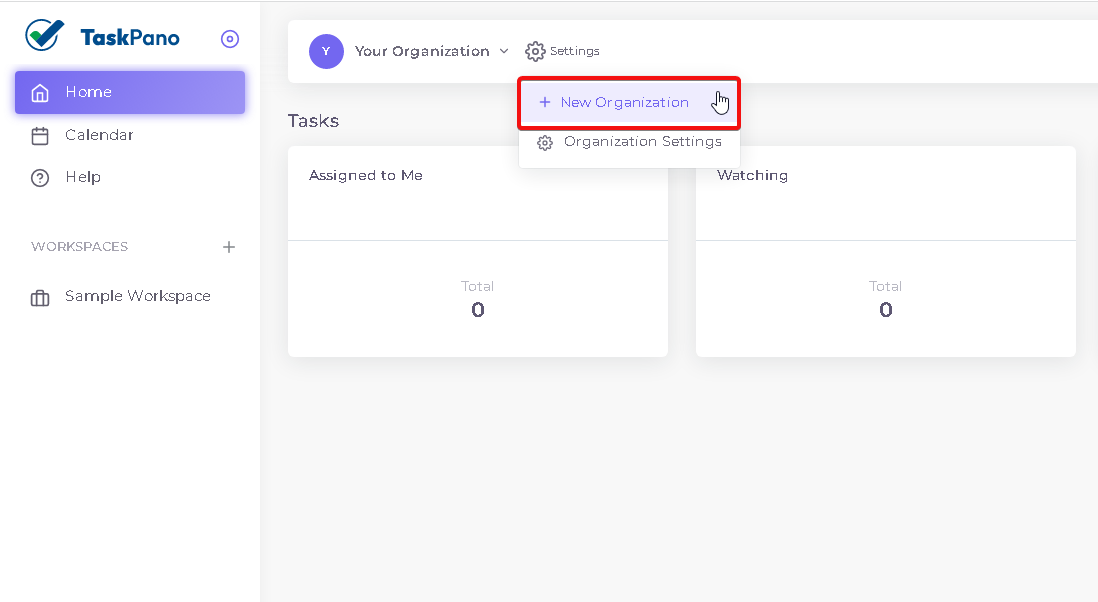
2.Choose ‘New Organization’.
3.Name your organization and describe it if neccesary.
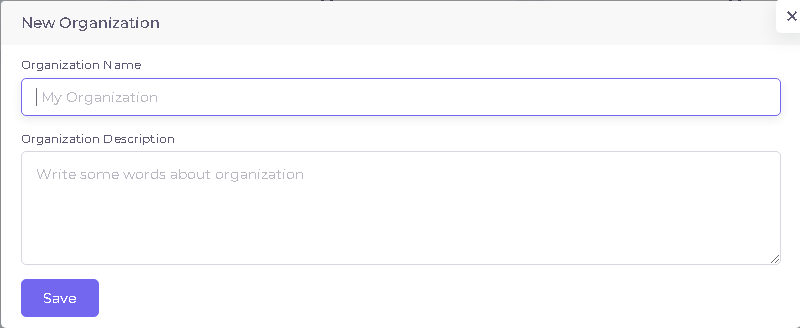
New organization will be created When ‘Save ‘ button is pressed.
Organization Settings
Follow steps in below to reach Organization settings.
1.When you log in TaskPano, Press ‘Settings’ button near of organization name that is created for you.
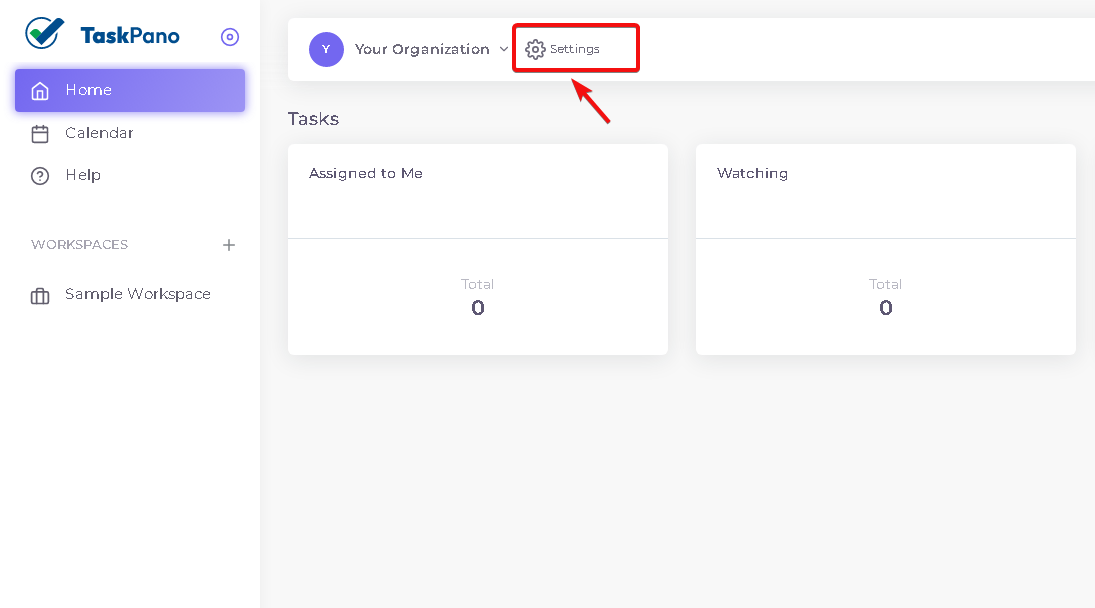
2.Choose ‘Organization Settings’.
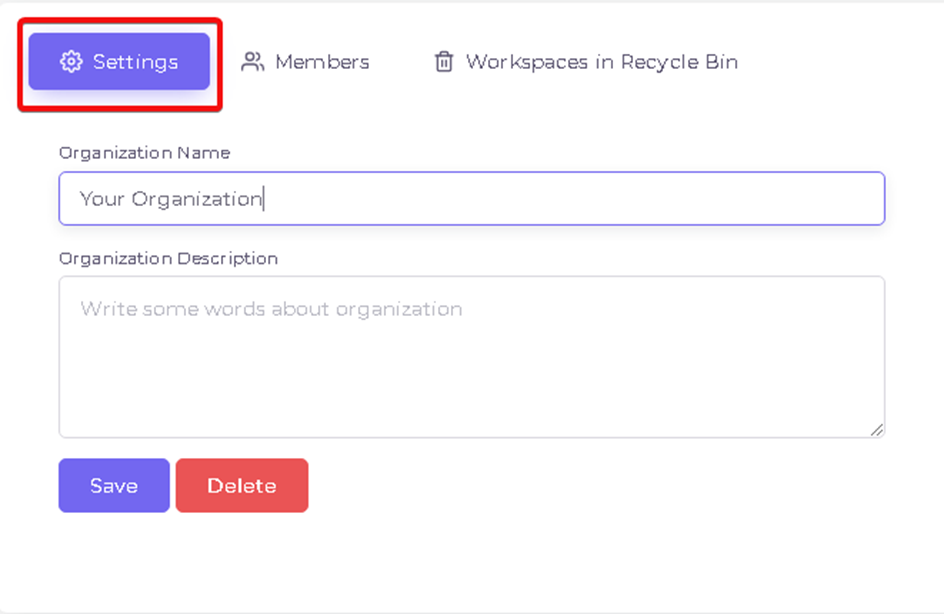
3.Organization name and description already entered before can be edited in ‘Settings’ tab.
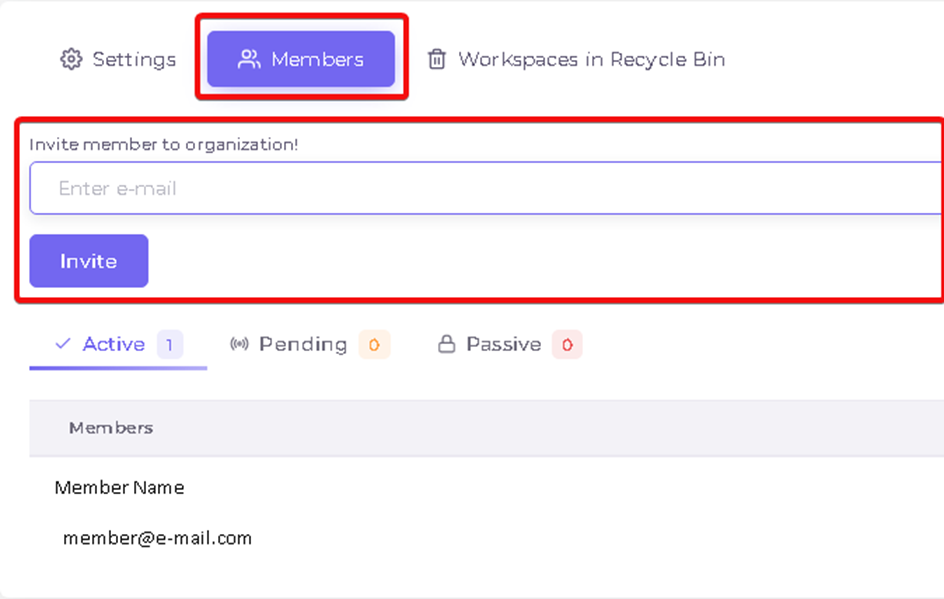
4.New member can be invited by typing e-mail and status of member can be reviewed in ‘Members’ tab.
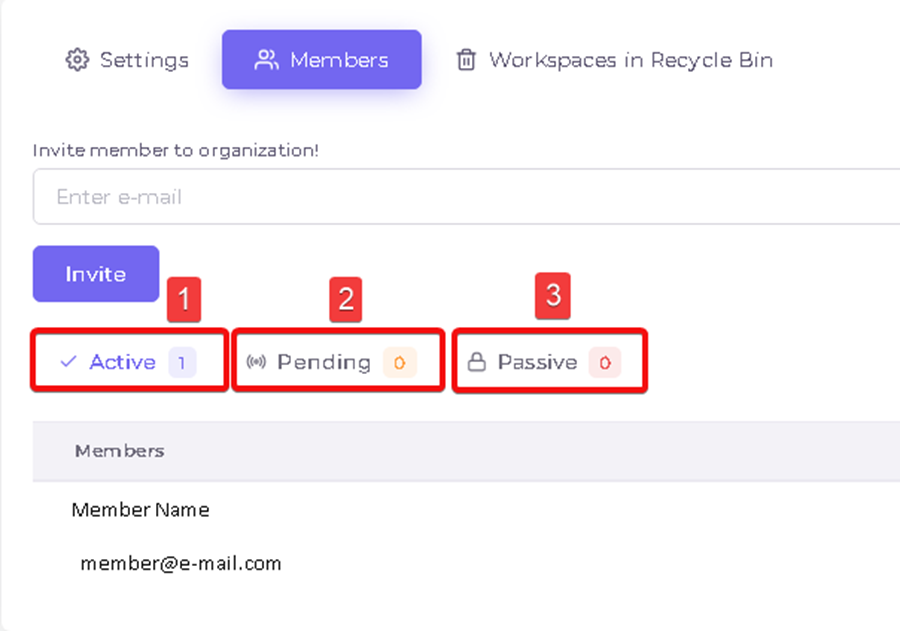
‘Members’ Tap
- ‘Active’ Tab : Includes members in organization.
- ‘Pending’ Tab : Includes members those invitation have been sent and expected to accept.
- ‘Passive’ Tab : Includes members those did not accept the invitation or have been made passive.
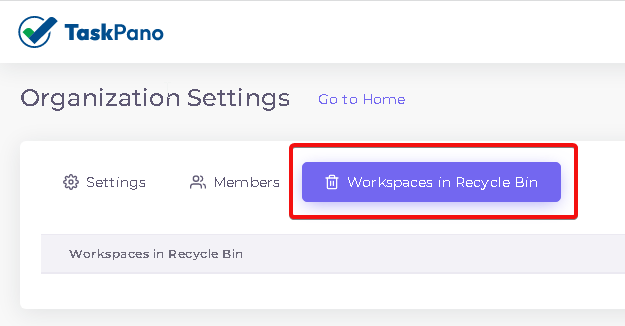
5.Deleted workspaces can be reviewed in ‘Workspaces in Recycle Bin’.
BAŞKA BİR SORUNUZ MU VAR?
TEKNİK DESTEK EKİBİMİZE 7/24 ULAŞABİLİR VE TÜM SORULARINIZI İLETEBİLİRSİNİZ.
GÜVENLİK DOĞRULAMASI
Lütfen işlemi onaylayın