ÇÖZÜM BULAMADINIZ MI?
TEKNİK BİR SORUN YAŞIYORSANIZ UZMAN EKİBİMİZE ANINDA ULAŞABİLİRSİNİZ.
How Do You Get The Product List Which Do Not Meet The Order Amounts?
You can simply report your product(s) which meet /do not meet the order amounts in your inventory on Wolvox ERP program.
You must use Order Reports – Order Delivery Report for this.
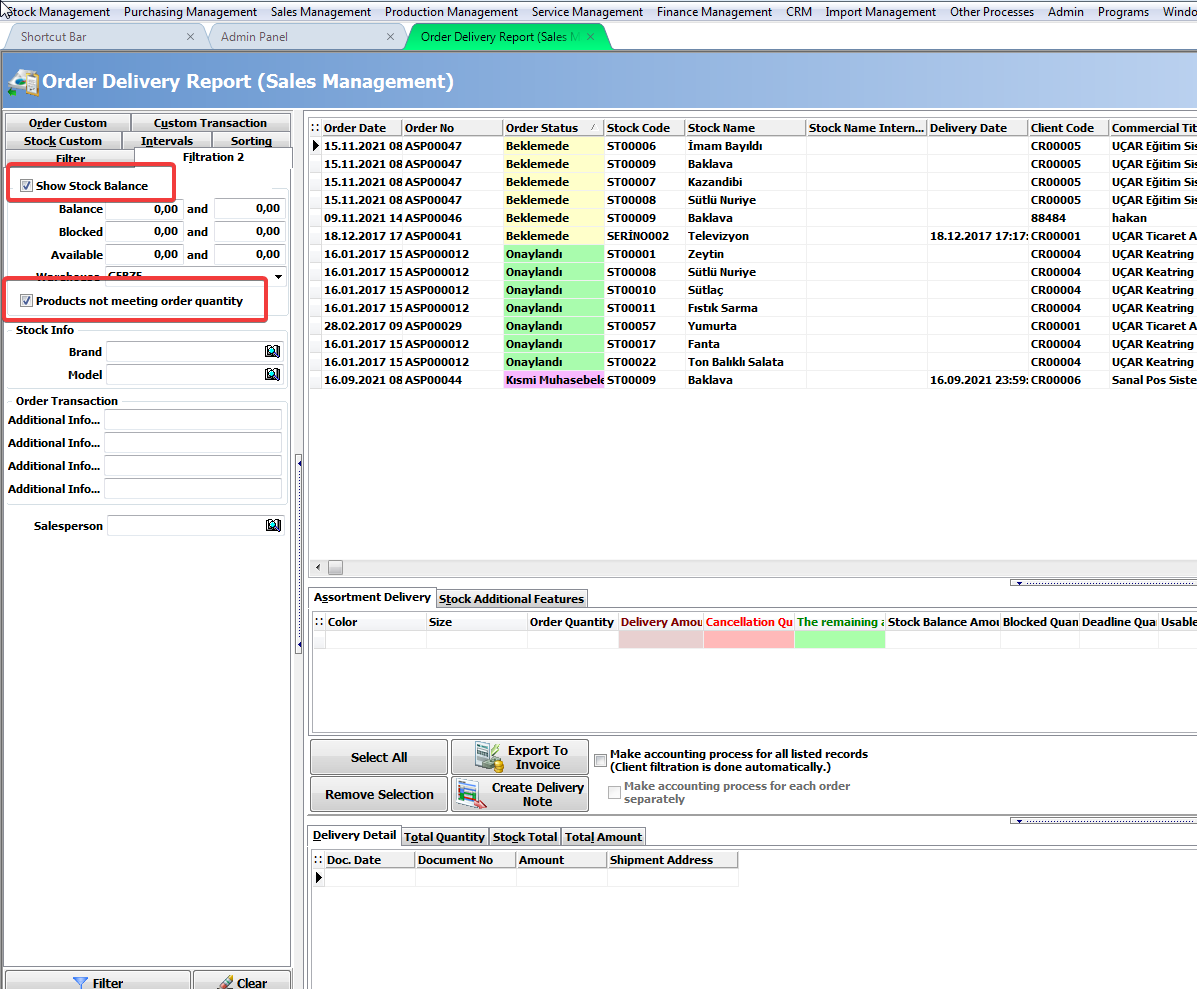
Filtering should be done by activating the “Show Stock Balance” and “Products not meeting order quantity” options in the Filtering 2 tab in the related report.
BAŞKA BİR SORUNUZ MU VAR?
TEKNİK DESTEK EKİBİMİZE 7/24 ULAŞABİLİR VE TÜM SORULARINIZI İLETEBİLİRSİNİZ.
GÜVENLİK DOĞRULAMASI
Lütfen işlemi onaylayın