ÇÖZÜM BULAMADINIZ MI?
TEKNİK BİR SORUN YAŞIYORSANIZ UZMAN EKİBİMİZE ANINDA ULAŞABİLİRSİNİZ.
How to Disable Simple View Screen?
If you want to use regular use, you need to disable the simple view.
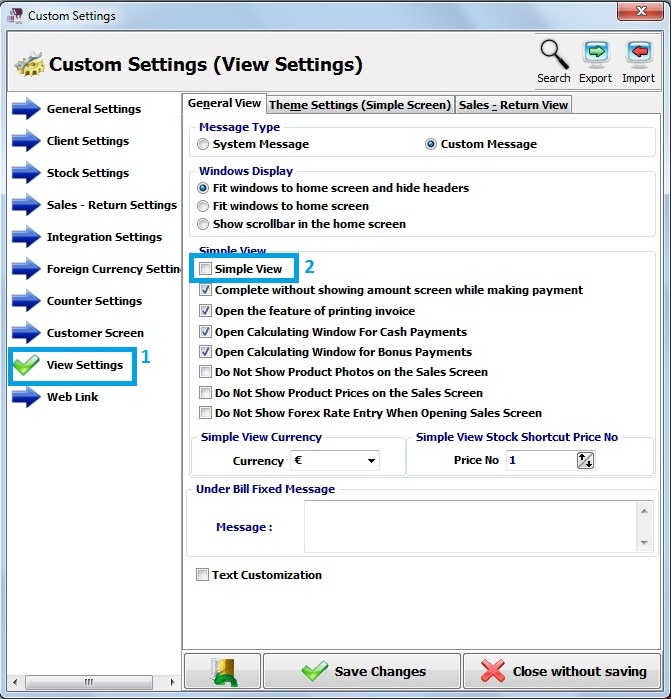
Firstly, click on Admin – Custom Definitions – Custom Settings.
Secondly, click on view settings.
After that, deselect simple view.
Click on save changes.
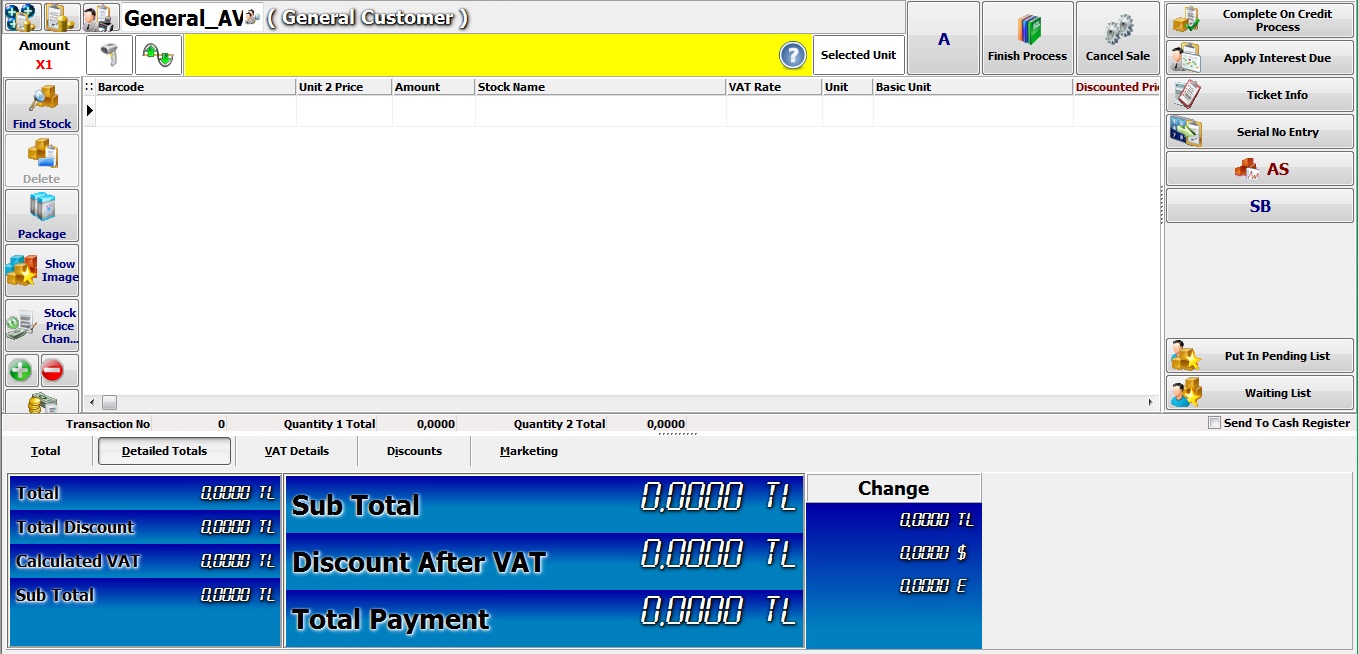
Finally, open the sales screen. You will see the regular screen.
BAŞKA BİR SORUNUZ MU VAR?
TEKNİK DESTEK EKİBİMİZE 7/24 ULAŞABİLİR VE TÜM SORULARINIZI İLETEBİLİRSİNİZ.
GÜVENLİK DOĞRULAMASI
Lütfen işlemi onaylayın