ÇÖZÜM BULAMADINIZ MI?
TEKNİK BİR SORUN YAŞIYORSANIZ UZMAN EKİBİMİZE ANINDA ULAŞABİLİRSİNİZ.
Make Sure Sales Price Is Less Than Purchase Price
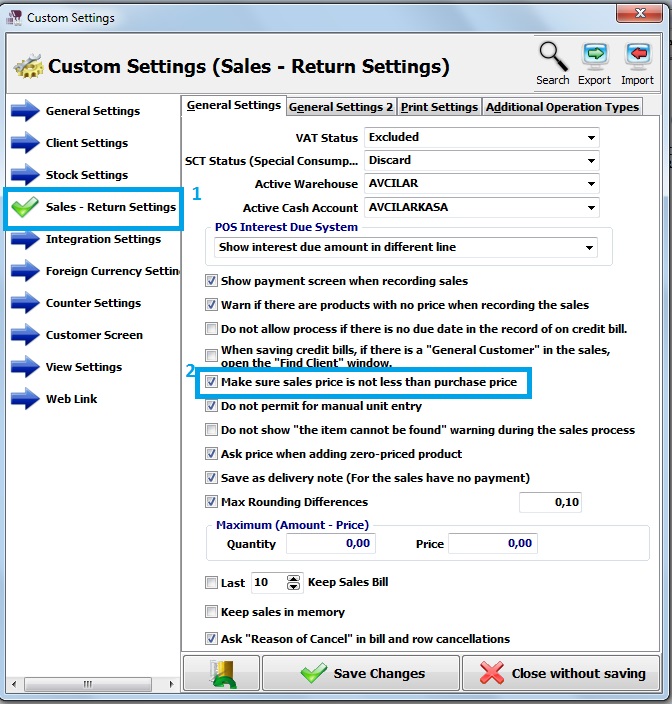
First of all, click on Admin-Custom Definitions-Custom Settings.
Click on Sales – Return Settings.
Moreover, select make sure sales price is not less than purchase price and save it.
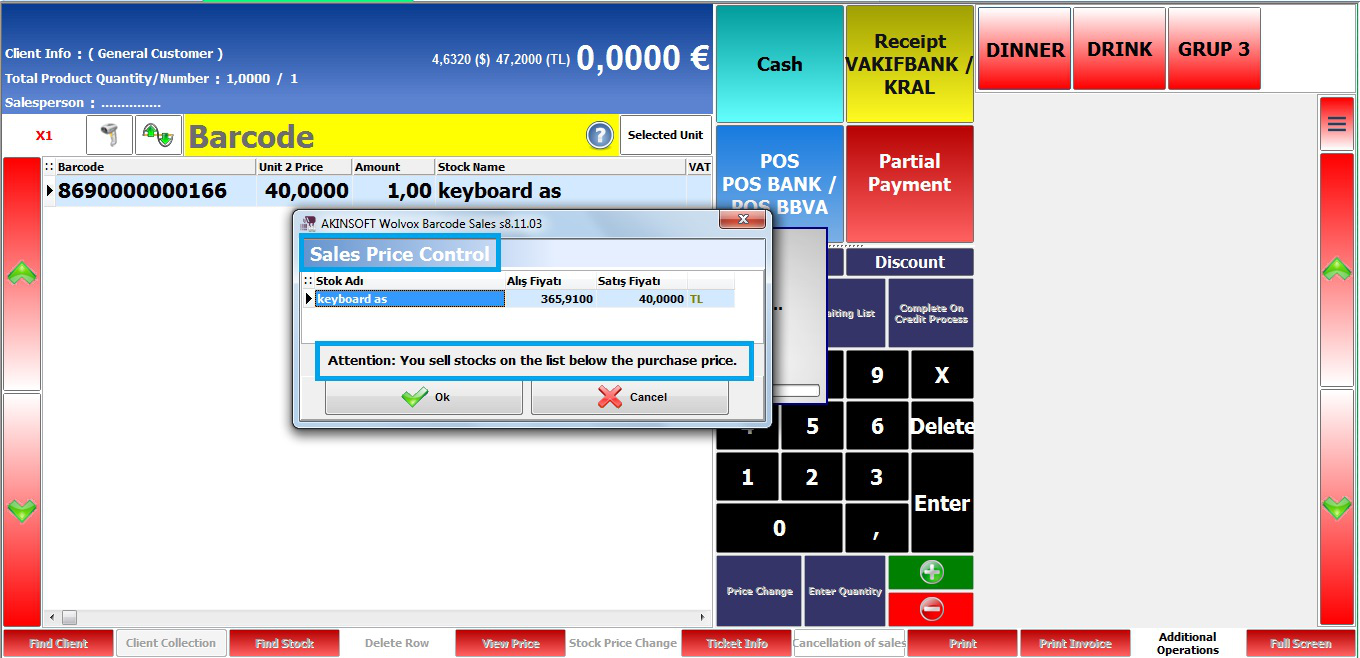
In the sales screen, add a stock with sales price is less than purchase price.
After that, click on one of payment types and program shows a message.
BAŞKA BİR SORUNUZ MU VAR?
TEKNİK DESTEK EKİBİMİZE 7/24 ULAŞABİLİR VE TÜM SORULARINIZI İLETEBİLİRSİNİZ.
GÜVENLİK DOĞRULAMASI
Lütfen işlemi onaylayın