ÇÖZÜM BULAMADINIZ MI?
TEKNİK BİR SORUN YAŞIYORSANIZ UZMAN EKİBİMİZE ANINDA ULAŞABİLİRSİNİZ.
Wolvox Barcode Sales Customer Screen Script
In the beginning, Click on Admin-Custom Definitions-Script Package Transactions.
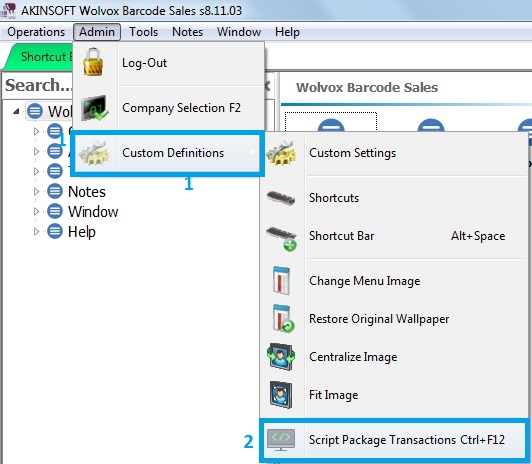
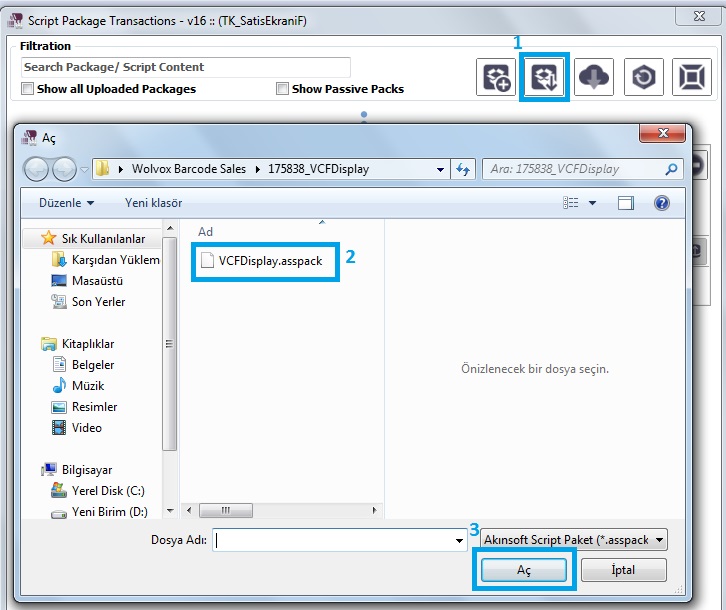
Script Selection screen showed up.
Firstly, click on Upload Package.
Secondly, select the script that you have downloaded.
Thirdly, open it.
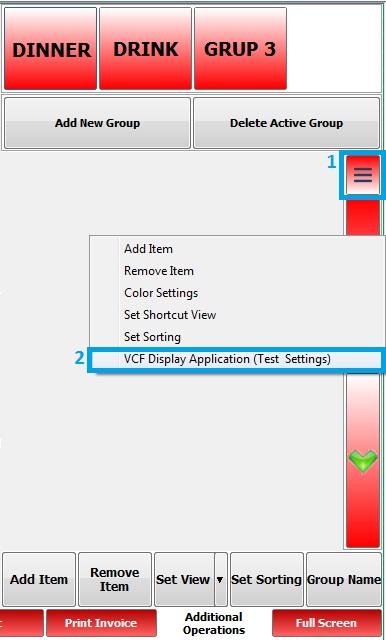
After that, open sales screen. Click on, design mode.
Furthermore, right click on and select the VCF Display Application (Test Settings)
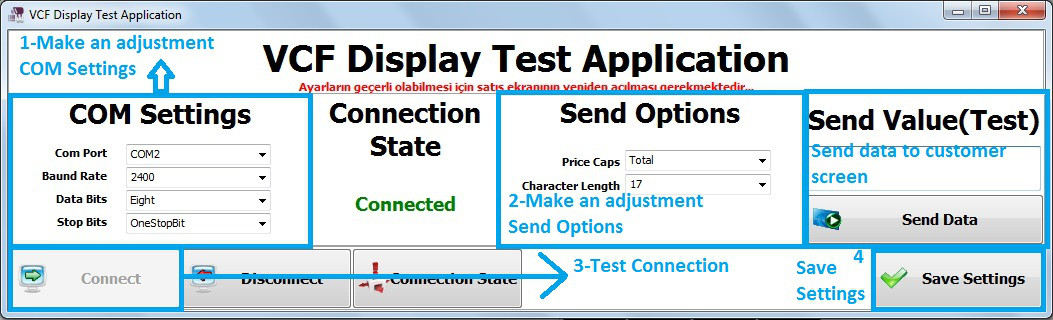
Finally, you reach the VCF Display Application Test Settings screen. You can do your options.
BAŞKA BİR SORUNUZ MU VAR?
TEKNİK DESTEK EKİBİMİZE 7/24 ULAŞABİLİR VE TÜM SORULARINIZI İLETEBİLİRSİNİZ.
GÜVENLİK DOĞRULAMASI
Lütfen işlemi onaylayın