ÇÖZÜM BULAMADINIZ MI?
TEKNİK BİR SORUN YAŞIYORSANIZ UZMAN EKİBİMİZE ANINDA ULAŞABİLİRSİNİZ.
Unprocessed Stocks Report
You may want to see which products did not get process in time interval defined by you. To see these products, follow the steps in below;
Stok Management->Reports->Analyses->Unprocessed Stocks
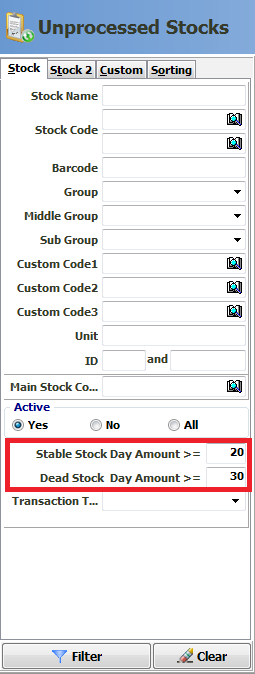
As you can see, in filter field of report there are some parameters as usual like other reports. There are 2 specific parameters for this report. You may define time interval as you like and filter.
Stable Stock Day Amount –> All stock you have that are unprocessed, unsold or unproduced in certain time.
Dead Stock Day Amount –> All stock you have that are unrequested or not consumed in certain time.
BAŞKA BİR SORUNUZ MU VAR?
TEKNİK DESTEK EKİBİMİZE 7/24 ULAŞABİLİR VE TÜM SORULARINIZI İLETEBİLİRSİNİZ.
GÜVENLİK DOĞRULAMASI
Lütfen işlemi onaylayın